
Executive Summary
A B2B catalog assistant answers buyer questions from your own product catalog, at any hour. It helps most at manufacturers, distributors and wholesalers that sell to other businesses, hold a catalog with real complexity, and lose questions after the sales team leaves. It helps much less where the catalog is missing, where buyers never ask questions outside a contract portal, or where every order is custom engineered.
This guide gives you a plain way to judge the fit. It covers the company profile that usually benefits, the people involved on both sides of the conversation, the features that matter for each kind of catalog, and the cases where you should wait or choose something else. You can run the whole test on your own files in about an hour.
Introduction
It is 7:40 on a weekday evening. A purchasing manager at a regional contractor has your catalog open in one browser tab and a spreadsheet in another. She needs to know whether a hydraulic fitting comes in a smaller pack, whether her account price applies at fifty units, and whether the lead time changes if she orders today.
Your sales team went home at five. The catalog page shows the part but not the price she would see, and it does not answer the pack size question. She will not wait until morning for a callback. She will send the same three questions to two other suppliers before she closes her laptop.
Most B2B companies have some version of this problem. The question this article answers is narrower: which companies have it badly enough, and in a way an AI catalog assistant can actually fix? Answering that honestly means looking at the company, the catalog, the buyers and the team that has to follow up. It also means being clear about when the answer is no.
Which companies get the most from a catalog assistant?
The best fit is a business that sells to other businesses and manages a catalog too large or too detailed for a static page. Manufacturers, distributors and wholesalers all match that pattern. Each one deals with product data that changes often, prices that vary by customer, and buyers who need an answer before they commit.
Revenue and headcount give a rough guide, not a rule. Most companies that take this seriously sit somewhere between about $1 million and $50 million in annual revenue, with 10 to 200 employees. At that size you usually have real buyer volume and a catalog that one person can no longer answer alone, but you still feel every hire you would need to cover the gap.
Company size matters less than three conditions. The catalog must be complex enough that buyers ask detailed questions. Buyers must ask those questions before they order. And someone must be able to act on the answers the assistant cannot give. If one of those is missing, the assistant has very little to do.
What does a catalog assistant actually have to read?
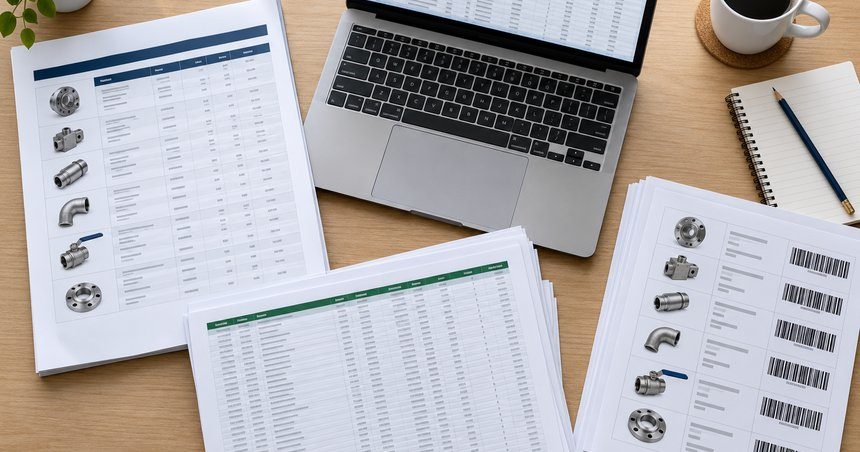
A catalog assistant is only as good as the data it can reach. Before you think about buyers, look at where your product information lives today. Most B2B companies keep it in one or more of these places:
- A PDF catalog that gets updated once or twice a year
- An Excel workbook or several spreadsheets, often with different column names
- An ERP export that holds stock, cost and price tiers
- A CSV file produced by a product information tool
Each source has a different level of structure, and the assistant has to handle all of them. ChatSKU reads PDF, Excel, ERP and CSV sources, so you do not need to move everything into one clean database first. The practical check is simpler: can you export your product data in one of these formats today? If the answer is yes, you can start. If the only copy of your product knowledge is in a senior employee’s memory, the catalog has to be written down before any assistant can use it. The PDF catalog guide explains why static PDFs cost sales even before any assistant is involved, and the PDF catalog chatbot page shows how a PDF-based catalog gets used.
Data quality still counts. An assistant that reads an outdated spreadsheet will give confident wrong answers. Check how often your product data changes and who is responsible for updating it. A catalog that changes weekly needs a sync plan. A catalog that changes once a year can work with a periodic upload.
Who are the buyers on the other side?
The people typing into the assistant are usually purchasing managers, procurement leads, office managers at contractor firms, and buyers at resellers. They know their trade. They do not need a definition of a gasket or a pallet. What they want is specific: whether an item is in stock, what their price is at a given quantity, whether a substitute meets a spec, and how long a quote will take.
Buyers arrive when it suits them, which is often outside your business hours. They also compare suppliers quickly. A buyer who gets a clear answer at 8pm is more likely to request a quote than one who waits two days for a reply. This is why the after-hours buyer problem matters more for some businesses than others. If your buyers mostly call during working hours and place orders with a rep, the assistant adds less.
Buyers also judge the assistant by how it handles their own situation. If every buyer sees the same price, the assistant will fail the moment a long-standing account asks about its contract rate. That is why the way your company prices by customer group needs to be understood before you start, not after.
What does the fit test look at?
Before you buy any tool, answer five questions honestly. Each one points to a different part of the business.
Does a usable catalog exist? Look at whether you can export product data in PDF, Excel, CSV or from an ERP today. If you cannot, the first job is cataloguing, not chat.
Do buyers ask questions before they order? Check your last month of inbound email and phone notes. Count how many were about specs, stock, substitutes or price. If the answer is mostly “please send me the PO,” the assistant has little to answer.
Do different customers pay different prices? Customer groups and tiered pricing are a real complication for B2B. If every buyer sees one list price, the assistant’s main advantage is smaller. If you run contract prices, volume breaks or distributor tiers, the assistant has to match each buyer to the right number. The tiered pricing guide covers why that matters online.
Do questions arrive when your team is offline? Look at the timestamps on your inbound requests. A large share of requests after hours means a real gap. A small share means your team already covers the phone well.
Is someone ready to act on a handoff? An assistant can capture a quote request or a question it cannot answer. Someone still has to respond. If that inbox is unowned, the assistant will only move the problem earlier in the process.
Four or five yes answers suggest a strong fit. Two or three suggest a trial on one product line. Zero or one suggests waiting. The score is a guide for your own review, not a guarantee of results.
Which catalog problems does an assistant solve, and which does it not?
An assistant solves a specific problem: buyers who can find a product but cannot get an answer about it. Many companies have a passive catalog, which shows products clearly but cannot close a sale when a buyer has a question. The passive catalog problem describes this gap in more detail, and it is the clearest case for an assistant.
An assistant does not solve a pricing agreement that has not been made, a warehouse that cannot ship, or a sales process that takes three weeks to reach a decision. It also does not fix an outdated catalog. The response gap, which is the delay between a buyer’s question and a human reply, is a related problem. The response gap explainer explains how that delay usually builds up, and the response gap page covers the operating side of it.
For a broader look at the category, the catalog chatbot guide explains what these tools do and what they do not do. Read it if you are still deciding whether the category itself makes sense for your business.
Who should skip it?
Some businesses should wait or choose a different approach. Better you hear it now than after a trial.
You have no catalog file. If product knowledge lives only in people’s heads or in paper binders nobody has digitized, there is nothing for the assistant to read. Build a structured catalog first. The catalog cost analysis can help you size the problem before you commit to a fix.
Your buyers only order through a fixed contract portal. If every purchase runs through a customer’s procurement system at pre-agreed terms, buyers rarely ask your website questions. The conversation happens somewhere else, and an assistant on your site will sit idle.
Every product is custom engineered. If each order starts from a blank drawing and a long engineering discussion, there is no standard catalog to answer from. A quoting process built around engineers fits better here.
Your catalog is very small. If a one-page price list answers almost every question, an assistant adds little. The value grows with catalog size and buyer volume.
Nobody owns follow-up. If quote requests land in an inbox that nobody reads, the assistant cannot fix that. Solve the handoff process first, or the assistant will only capture requests that wait longer.
What does setup involve in practice?
Setup is simpler than most B2B software, but it is still work. The steps usually run in this order:
- Export your product data in the formats you already have.
- Review the data for obvious gaps, such as missing prices, duplicate SKUs or outdated pages.
- Add the one-line script tag to your site, which takes most teams under a day.
- Set up customer groups and tiered pricing so each buyer sees the right number.
- Connect the systems that matter, such as your CRM, ecommerce platform or ERP. Sync keeps the assistant current when stock or prices change.
- Test the assistant with real questions from your buyers, and check each answer against your own records.
The test in step six takes the most time and matters most. Ask it the questions buyers actually send. Check every price and availability answer against your own system. Note the questions it cannot answer, because those show where your catalog or your follow-up process needs work.
If your platform is WooCommerce or Magento, the integration details are different. The WooCommerce chatbot buyer’s guide covers the questions to ask before choosing a tool for that platform.
How do you know whether it is working?
Measure the outcomes that matter to your business, not the number of chats. Useful measures include the share of buyer questions answered without a human, the number of quote requests that arrive after hours, how many of those requests become orders, and how long your team spends on repetitive catalog questions.
Real-time analytics on buyer intent show what buyers ask about most, which products get questions without purchases, and where the catalog itself is unclear. Use that data to fix the catalog, not only to tune the assistant. A product that gets the same question every day probably needs a better specification, a clearer photo or a note on compatibility.
For a rough financial check, the ROI calculator lets you model lost after-hours demand against your own order values. Treat the result as a starting estimate. Your real numbers will depend on conversion rates, order size and how fast your team follows up.
What does this mean for your team?
An assistant changes the work your team does. It does not remove the need for people. Reps spend less time on lookups and more time on deals that need judgment. Sales managers see which questions come up most. Ecommerce managers own the catalog data the assistant depends on. Owners see the cost of unanswered demand.
Expect some internal change. Reps may worry about being replaced. Be clear that the assistant handles routine questions and prepares quotes, while people still negotiate and close. The question of whether AI will replace B2B sales reps covers that concern in more depth. Plan the handoff rules before launch so no quote request sits unclaimed.
Also plan the minimum order rules. Buyers often hit a minimum at checkout, and an assistant that cannot explain the rule will frustrate them. The minimum order quantity guide covers how those rules create friction and how to answer them quickly.
People Also Ask
Is a B2B catalog assistant only for large companies?
No. The better test is catalog complexity and buyer volume. A company with around ten people can benefit if it has thousands of SKUs, tiered pricing and buyers who ask detailed questions. A larger company with a short price list may gain less. Very small businesses may not have enough buyer questions to justify the setup.
Does a catalog assistant replace a developer?
Usually not for the basic setup. The most common method is a single script tag added to the site, which a team member who can edit the site header or a tag manager can add. Syncing with an ERP or CRM and setting up pricing rules can need more technical help, depending on how your systems are built.
What should I do before I start a trial?
Export your product data, list the twenty questions buyers ask most often, and decide who will handle quote requests. Those three items show quickly whether the assistant can work for you. They also give you a clear way to judge the trial result.
Conclusion
A B2B catalog assistant helps when buyers have detailed questions, your catalog is complex enough to be hard to answer by hand, and someone is ready to follow up. It helps less when the catalog is missing, the buyers order through a fixed portal, or every product is custom. The fit test in this guide is meant to show you which group your company falls into before you spend time on a trial.
If the test points to a fit, the next step is a trial on one product line using your own catalog files and real buyer questions.
Run the fit test on your own catalog before you decide.
Frequently asked questions
Manufacturers, distributors and wholesalers that sell to other businesses. The usual profile has a real product catalog, buyers who need quotes, and a sales team that cannot answer every question during business hours.
Owners track the revenue effect. Sales managers use it to take repetitive spec and availability questions off their reps. Ecommerce managers handle the catalog data and the site setup. Buyers use it on the other side of the screen.
That is enough to start. ChatSKU reads PDF, Excel, ERP and CSV sources, so you do not need a new database first. Check the data for gaps before you go live, because the assistant can only answer from what it reads.
Yes, if your pricing is set up in the system. Customer groups and tiered pricing are built in, so each buyer sees the price that matches their account. Confirm the rules with a test account before you rely on them.
Probably not for ordering. If purchases run only through a fixed procurement portal, buyers rarely ask questions on your website. The assistant adds the most value where buyers browse, ask questions and request quotes.
The script tag can go live in under a day. Reviewing the catalog, setting up pricing rules and testing real buyer questions takes longer, and the testing step matters most.
Turn your catalog into a 24/7 sales channel
Stop sending PDFs. Start capturing demand.
Try ChatSKU Free →
About the author
Gigi JK is the founder of ChatSKU and Virtina, bringing more than 28 years of experience across digital transformation, eCommerce strategy, AI-driven growth systems, and business modernization. His work spans startups, scale-ups, and SMBs, with a focus on turning complex operational problems into practical growth frameworks. Before ChatSKU, Gigi built and scaled a seven-figure eCommerce business and led Virtina as an eCommerce engineering and business transformation consultancy. At ChatSKU, he focuses on helping B2B manufacturers, distributors, and wholesalers make complex catalogs searchable, quote-ready, and agent-ready without forcing a full platform rebuild.
