
Executive summary

A BigCommerce B2B quote request should start where it can end as a complete, correctly priced request a rep can act on. Test every path against four checks: a complete request, the right price for this company, an answer after hours, and a rep-ready handoff.

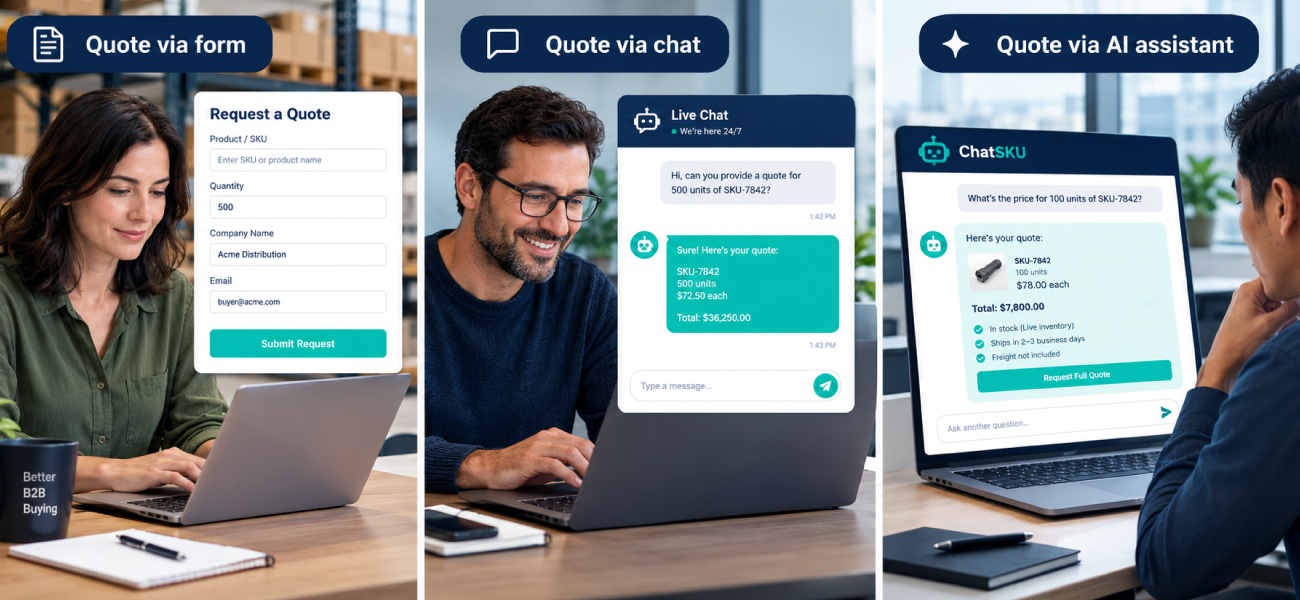
A quote form suits custom work where the buyer knows the part. Live chat suits a store with a person online and a nuanced question. An AI catalog assistant suits complete, correctly priced requests at any hour, with reps still approving. Most stores end up combining them.

Introduction

It’s 8pm, and a buyer wants a mixed order from your BigCommerce store. The best place for that quote request to start is wherever it can end as a complete, correctly priced request. For most stores with company price lists, that means a chatbot built as an AI catalog assistant, working next to a form for custom jobs.

Buyers are leading these conversations now. 6sense’s 2025 buyer report found that buyers start about 79% of first contacts themselves. The same report found that buyers spoke to the eventual winner first 77% of the time.

That doesn’t prove the fastest reply wins. It does mean the entry point is where the first conversation happens. Here is how to decide.

What does a good first quote conversation have to do?

It has to pass four checks. Each one is a job a rep would otherwise do by hand the next morning.

  • Complete request. Items, quantities, pack sizes, and ship-to are all there.
  • Right price for this company. The price matches the buyer’s account, not the public list.
  • Answered after hours. The buyer gets a real response while your team is offline.
  • Rep-ready handoff. The rep opens something to approve, not something to decode.

No path scores perfectly on all four. The next three sections score each one honestly.

Where does a quote form hold up, and where does it break?

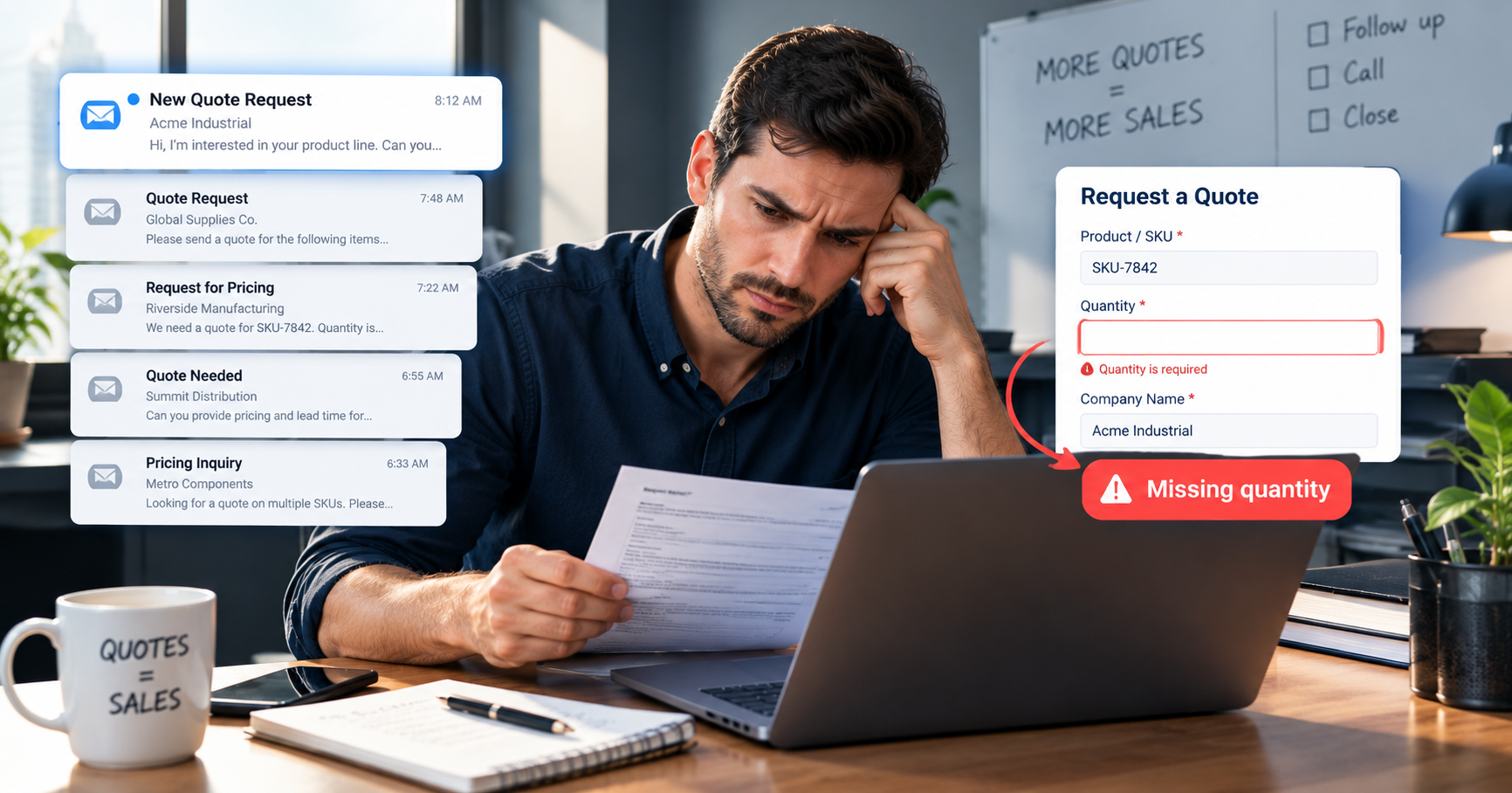
Frustrated B2B buyer reviewing a quote form with a missing quantity that caused a missed BigCommerce quote 

A form holds up for custom work where the buyer knows exactly what they need. It breaks when the request needs checking, because a form can’t check anything.

A form captures fields and waits. It queues until a rep opens it, so an 8pm request sits until morning. That wait is the classic after-hours buyer problem, and a form alone doesn’t solve it.

Price is the bigger gap. A form can’t tell whether the quantity makes sense or the price is right for this company. Native quoting sits in B2B Edition, which you enable on the store, and many stores use an app-based form instead.

BigCommerce’s documentation for creating quotes treats a quote with no company or customer ID as a guest quote. A guest has no company price list, so a rep reprices it by hand.

Scored against the four checks, a form captures only what the buyer typed. It doesn’t verify the price, it receives without answering, and it hands over raw fields.

When is live chat the right front door?

Live chat is the right front door when a person is reliably online and the question is a nuanced one. A good rep can read the situation, ask the sharp follow-up, and close a tricky job.

The limits are mechanical. Chat covers staffed hours only. The rep still looks up the company’s price, and a transcript is not a structured quote. Someone has to turn the conversation into line items.

Scored against the four checks, chat completes a request only as well as the rep’s questions do. The price depends on a lookup, and after hours the widget is offline. The handoff is a transcript.

If your team sits online during the hours buyers ask, and most requests are custom, chat may be all you need. That is a legitimate answer. Before you commit, check what your catalog data can support, starting with what ChatSKU connects to.

What does an AI catalog assistant need before it can quote?

Buyer and colleague comparing customer-specific B2B prices on a laptop to check a BigCommerce quote
It needs your catalog and the buyer’s own pricing. Without them it quotes list price, which is worse than having no assistant at all.

BigCommerce prices can differ by company, and price lists attach to customer groups. So the assistant has to read company accounts, price lists, and customer groups. If the price list is wrong in BigCommerce, the quote will be wrong too.

With that data, the work is specific. It asks the missing questions, such as size, quantity, and ship-to. It applies the customer group price, drafts the quote, and hands the rep a complete package.

The rep still decides. The BigCommerce B2B Edition introduction notes that reps can review and edit quoted prices, which is why the assistant hands off rather than approves. One line of code installs ChatSKU for BigCommerce, and stores go live in under a day with no rebuild.

Buyers are ready for this. McKinsey’s 2024 B2B Pulse survey, as reported by Digital Commerce 360, found that 39% of buyers would spend over $500,000 per order. Those orders went through self-serve or remote channels. Large orders already happen without a rep call
What does one 8pm mixed order look like under each path?

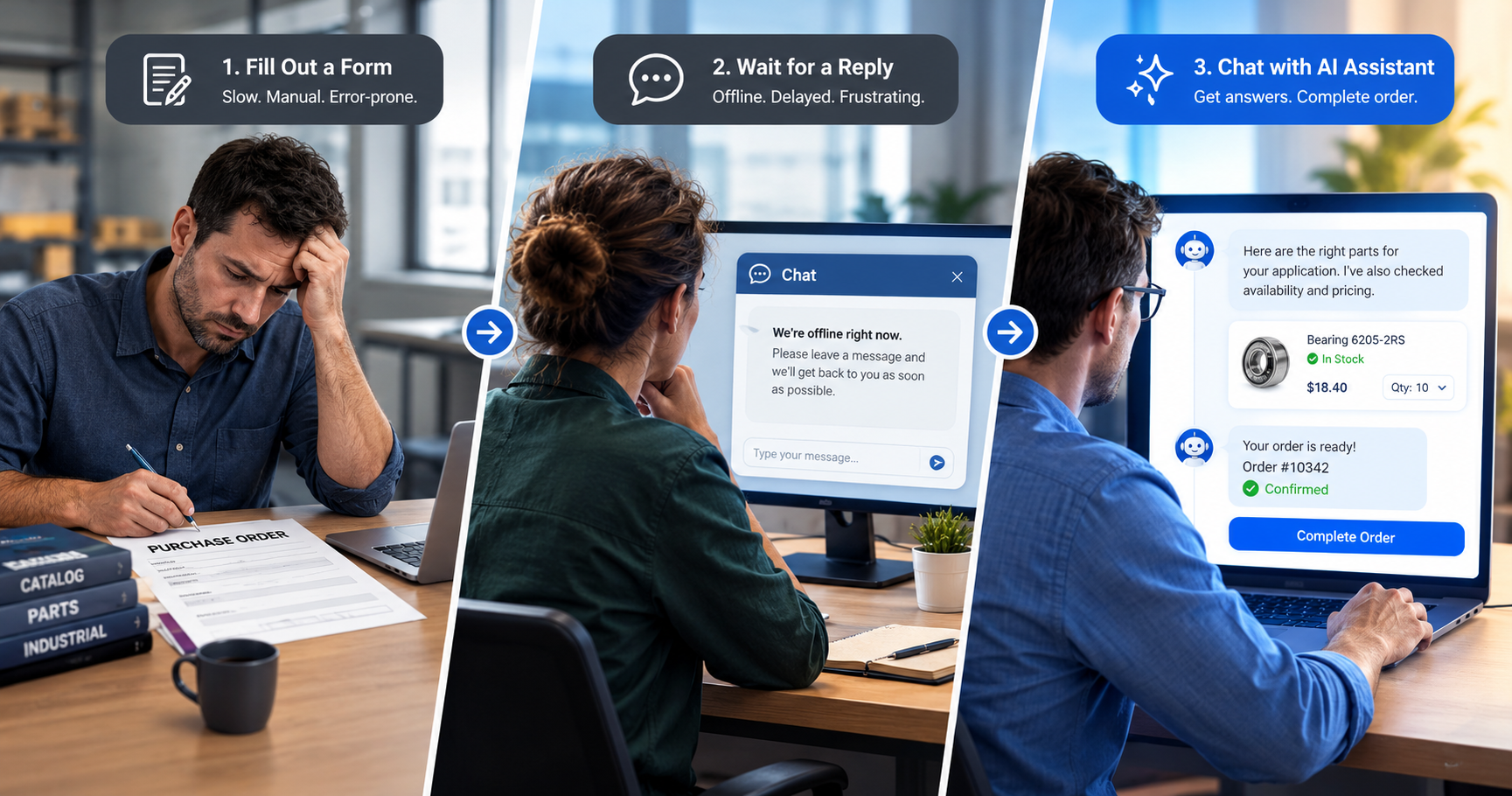
Buyer comparing a manual B2B quote form with an AI catalog assistant to move a BigCommerce order request from form to order
The same order lands very differently on each path. Only one puts a complete draft in front of the rep at 9am.

Illustrative example. A distributor sells on BigCommerce with company accounts and a negotiated price list. At 8pm on a weeknight, a buyer for an established customer wants a mixed order. It has several SKUs in different pack sizes, plus one item the buyer isn’t sure you carry.

Quote form. The buyer fills in what they know and leaves the uncertain item as a free-text note. The rep opens it the next morning and finds a missing quantity. The price needs checking against the company’s list, so the rep writes back. The first real conversation starts at 9am.

Live chat. The widget shows offline. The buyer emails or leaves.

AI catalog assistant. The buyer types the order in plain words. The assistant matches the SKUs and asks for the one missing quantity. It applies the company’s price list and flags the uncertain item for a rep. The morning queue holds a complete, priced draft and one flagged question.

The difference is not speed alone. It is what the rep opens first. Everything here ends when the request reaches the rep, and what follows is a separate problem, the silence after the quote.

How do you choose between the three paths?

Ask three questions in order. The first one you answer yes to tells you where to start. A side-by-side table follows the People also ask section.

  1. Do most requests need custom engineering or a one-off price? Then use a form plus a rep.
  2. Is a person reliably available during the hours buyers ask? Then add live chat.
  3. Do buyers have company price lists and send mixed or large catalog orders after hours? Then an AI catalog assistant earns the front door.

The paths combine. The form doesn’t disappear, because custom jobs still need one. If your goal is quoting in under an hour, a request that arrives complete does most of the work.

A few practical lessons hold on any path: Model the numbers first with the ROI calculator.

  • Decide what a “complete” request means before you automate anything.
  • Keep approval with a human.
  • Test prices against a real company account before launch.
  • Keep the form for the jobs that need one.

People also ask

Is a quote form or live chat better for B2B quote requests?

Neither wins on its own. A form suits custom work where the buyer knows the need, and chat suits moments when a person is online. Both leave gaps on price correctness and after-hours coverage.

Can a chatbot build a B2B quote with the customer's own pricing?

Yes, but only if it reads that customer’s price list or customer group. Without live price data it quotes list price. The same assistant should assemble the items, quantities, and handoff, not just a number.

What happens to a quote request that arrives after hours?

With a form, it queues until a rep opens it. With live chat, it usually goes unanswered. An AI catalog assistant can finish the request on the spot and leave a complete package for morning.

Can a chatbot show the right price for each customer group?

Yes, if it is connected to the customer group and price list data on the store. It should show the group’s price to a recognised buyer and flag anything it can’t confirm.

Quote form vs live chat vs AI catalog assistant: side by side

Here is the whole comparison for BigCommerce quote workflows in one place. Read across a row to see how each path handles one check.

Check Quote form Live chat (human) AI catalog assistant
Complete request Only what the buyer typed Depends on the rep’s questions Asks for missing size, quantity, and ship-to
Right price for this company Not checked, the rep reprices The rep looks it up Applies the price list or customer group, flags exceptions
Answered after hours Partly: received, not answered No: offline Yes: answered at any hour
Rep-ready handoff Raw fields A transcript A structured, priced draft with the conversation attached
Setup Low: an app or theme change Low, but needs staffing One line of code, live in under a day
What the buyer sees at 8pm A confirmation and a wait An offline widget A conversation that finishes the request
What the rep receives A queue of uneven requests Whatever was said in the chat A complete draft quote to approve or adjust

One honest limit sits under the table. The assistant is only as good as the catalog and price data it reads.

Conclusion

The question was never form or chat. It is where the first quote conversation happens, and whether it ends in something a rep can act on.

Use a form for known-part custom work. Use live chat when someone is really there. Give the rest, the mixed orders and the 8pm requests, to an AI catalog assistant. It reads your buyer’s own prices, and your team keeps the approval.

See it handle a quote request on your own catalog.

Frequently asked questions

ChatSKU goes on your current site as a single line of code. Most stores go live within a day, since it reads your current catalog files instead of waiting on a rebuild.

No. Keep the form for known-part custom work. Your current catalog files are enough, whether that is a spec sheet, a spreadsheet export, or an ERP file, so there is no migration step.

Yes. It applies each buyer’s customer group and tiered pricing to the answer. A contract account and a first-time buyer do not see the same price for the same part.

No. It collects and prices the request, then hands your team a structured quote. Reps approve it, handle custom engineering, and own the relationship.

It works from the files you already have. Gaps show up as questions it cannot answer yet, which tells you exactly what to clean up first.

Turn your catalog into a 24/7 sales channel

Stop sending PDFs. Start capturing demand.

Try ChatSKU Free →