

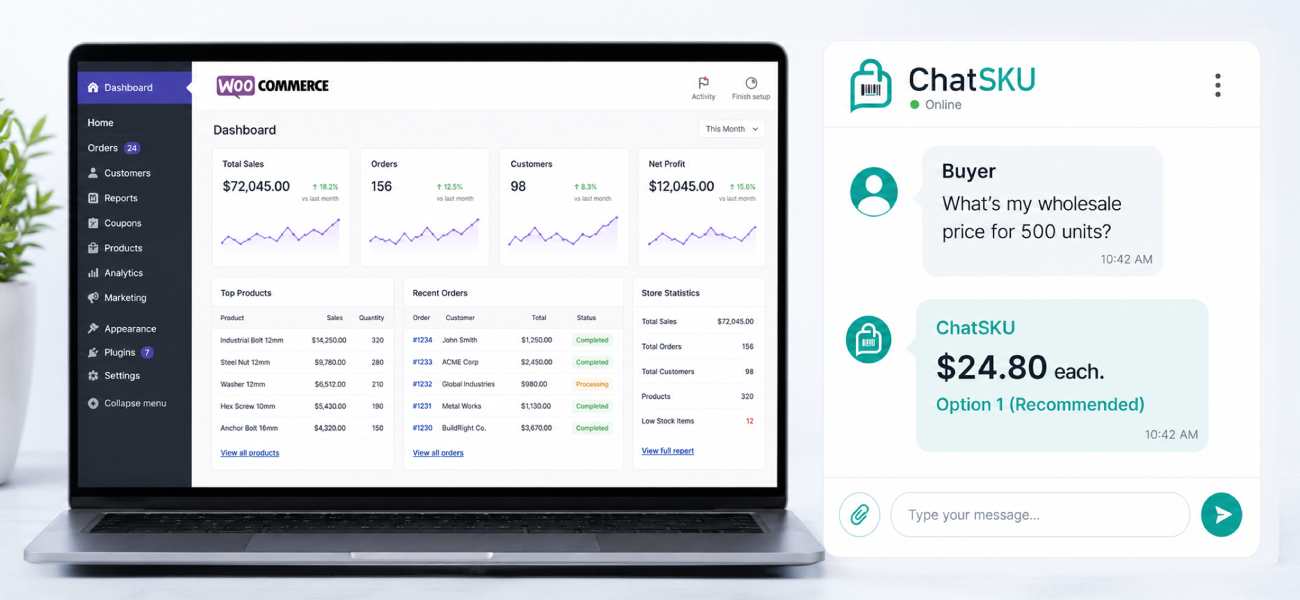
Executive summary
WooCommerce doesn’t ship a B2B layer. It ships a store, and whatever your team bolted onto it. If you sell wholesale or role-based pricing on WooCommerce, that pricing almost certainly lives inside a third-party plugin, B2BKing, Wholesale Suite, WholesaleX, or Addify are the four most common, and each one stores and exposes that data differently.
That means connecting ChatSKU to a WooCommerce B2B store isn’t one step. It’s reading the core WooCommerce REST API for products and stock, reading the WordPress core API for buyer role and group, then reading whichever plugin is actually running your tiered pricing, because none of the four handle it the same way. This guide walks through the full path: the endpoints, the auth, the plugin-by-plugin data model, and a 7-step integration process built around the API layer instead of a generic deploy checklist.
We’ll also walk through a worked example: a 9,500-SKU distributor running WooCommerce plus B2BKing, and what plugin-aware pricing detection is worth once after-hours buyers can actually see their price. The number lands around $235,200 a year in recovered revenue. The mechanics behind that number are the point of this article.
Introduction
A vendor once told a WooCommerce store owner that connecting B2B pricing was “one step.” It wasn’t. Half the catalog priced through B2BKing’s group rules. A legacy chunk of SKUs still ran on a custom role check a developer wrote three years earlier and never documented. Nothing read all of it correctly, because nothing was built to know both existed.
That’s the normal condition of a WooCommerce B2B store, not an edge case. WooCommerce core has no concept of customer groups, tiered pricing, or quote workflows. Every store that sells B2B on WooCommerce is running some combination of plugins, custom code, or both, to simulate a B2B layer that platforms like Magento ship natively.
If you already run WooCommerce and you’re evaluating whether ChatSKU can actually connect to your specific setup, this is the guide that answers that question at the API level, not the marketing level.
What does "integrating with WooCommerce B2B" actually connect to?
It connects to whichever plugin is doing your pricing, plus WooCommerce’s own core API for everything else. WooCommerce has no native customer-group field, no native tiered-price field, and no native quote object. Every one of those has to come from somewhere else.
Contrast that with Magento, where the Magento integration guide covers a single native Adobe Commerce B2B module exposing company accounts and shared catalogs through one API surface. WooCommerce doesn’t have that. It has a marketplace of plugins, and the four that show up most often in B2B stores are B2BKing, Wholesale Suite, WholesaleX, and Addify.
Each stores group and tiered pricing a different way. Some piggyback on WordPress’s own metadata system. One ships a dedicated API namespace of its own. “Does ChatSKU work with my plugin” isn’t really a yes-or-no question, it’s a question about what ChatSKU knows about how that plugin stores data, which is what ChatSKU connects to under the hood before it ever answers a buyer.
Our earlier WooCommerce deployment guide covers why a B2B store needs this kind of assistant at all. This one assumes you’re past that question and want to know exactly what gets read, and from where.
What does ChatSKU read from the core WooCommerce REST API?
ChatSKU reads your product catalog, stock levels, and order structure directly from WooCommerce’s built-in REST API, no plugin required for this layer. The base path is /wp-json/wc/v3/, and authentication runs on a consumer key and consumer secret pair, generated inside WooCommerce > Settings > Advanced > REST API, sent over Basic Auth on HTTPS.
The product endpoint hands over SKU, regular price, sale price, stock quantity, stock management status, categories, attributes, and variation data for configurable products. That’s enough to answer “what is this, is it in stock, and what are my options,” which covers most of what a first-time visitor asks a catalog assistant.
It is not enough to answer a B2B buyer’s real question, though, which is usually “what’s my price.” Full mechanics of the endpoint are documented in WooCommerce’s REST API documentation, and it’s worth a look if your team wants to see exactly what’s exposed before granting API access. It’s also the same layer that tells ChatSKU what a catalog assistant reads to build an answer, before any pricing logic gets involved.
There’s a wrinkle here. WooCommerce’s customer endpoint, /wp-json/wc/v3/customers, returns billing details, shipping details, order history, and a single primary role as a read-only field. What it doesn’t hand you is the full role and group picture for a buyer who belongs to more than one, and that fuller picture is what B2B pricing keys its logic to.
How does ChatSKU match a buyer to the right price tier?
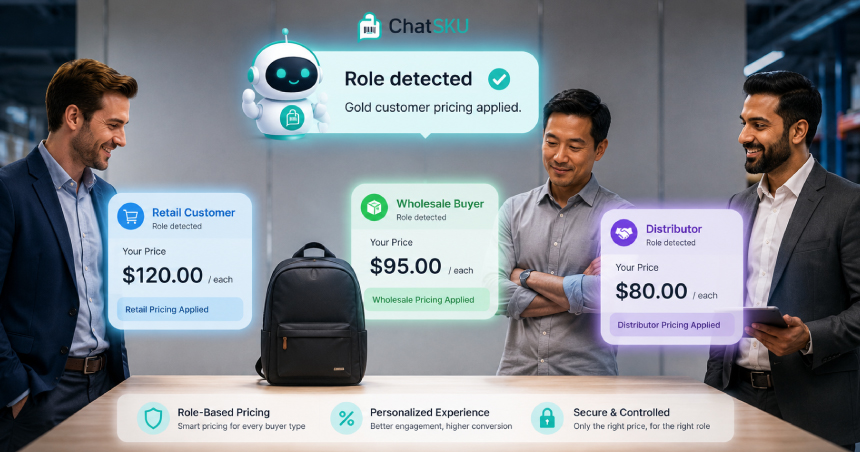
It reads the buyer’s role. For stores where a buyer can hold more than one role, it reads the complete set from WordPress core’s own REST API. The endpoint is /wp-json/wp/v2/users, documented in the WP REST API users reference, which returns the full roles array rather than the single primary role the WooCommerce customer resource exposes.
One caveat worth knowing up front. That roles array is only visible to an authenticated request with permission to list users, so this read depends on the API access you grant at setup. Once the buyer’s role is known, the price they should see depends entirely on which plugin is running your pricing rules, which is where the real divergence between WooCommerce B2B stores starts.
How does ChatSKU read pricing from B2BKing, Wholesale Suite, WholesaleX, and Addify?
Differently, in every case. That’s the part most B2B chatbot vendors skip past, and it’s the part that actually determines whether an integration works on day one or breaks the first time a store checks a price for a wholesale customer.
B2BKing
B2BKing has no API of its own. Every group price and tiered price it applies gets written as standard WordPress and WooCommerce post and user metadata, which means it’s already readable through the same REST API calls that pull your product catalog. No separate authentication, no separate namespace.
The one piece B2BKing does expose as its own resource is dynamic pricing rules, available as a custom post type at /wp-json/wp/v2/b2bking_rule. Everything else rides on metadata already inside WordPress’s standard structure.
Wholesale Suite
Wholesale Suite takes the opposite approach. It ships its own dedicated REST namespaces, wholesale/v1/ and wwlc/v1, exposing wholesale products, wholesale variations, wholesale roles, and wholesale leads as separate, purpose-built resources rather than folding them into existing WooCommerce metadata.
That’s a structurally different integration path from B2BKing’s. An integration built to read metadata won’t automatically find Wholesale Suite’s pricing, because it isn’t stored as metadata. It lives in its own namespace, with its own resource structure.
WholesaleX
WholesaleX adds role-based and quantity pricing along with a large set of dynamic discount rules. There’s no publicly documented dedicated API comparable to Wholesale Suite’s. The most defensible read, based on how the plugin behaves, is that pricing data lives as product metadata, following the same convention B2BKing uses, though this isn’t confirmed in public vendor documentation the way Wholesale Suite’s namespace is.
Addify
Addify’s role and customer-group pricing tools work per product or per category, with bulk CSV import and export for pricing rules. No public documentation describes a dedicated REST endpoint for Addify either. The safest statement here is the same one: pricing is stored as product data, without a confirmed, documented API surface the way Wholesale Suite has one.
The point isn’t that two of these four are somehow incomplete. It’s that “does ChatSKU support my plugin” is really “does ChatSKU know how your plugin stores its data,” and an integration written for one plugin’s data model doesn’t automatically read another’s. Identifying the right plugin has to happen before pricing can be read correctly.
| Plugin | Pricing storage mechanism | Dedicated API? | What ChatSKU reads | Confidence |
|---|---|---|---|---|
| B2BKing | Standard WP/WC post and user metadata | No (rules only, via custom post type) | Product/user metadata + b2bking_rule resource | Documented |
| Wholesale Suite | Dedicated plugin-owned resources | Yes, wholesale/v1/ and wwlc/v1 | Wholesale products, variations, roles, leads | Documented |
| WholesaleX | Likely product metadata | Not publicly documented | Product data at the general metadata level | Unverified |
| Addify | Likely product metadata | Not publicly documented | Product data at the general metadata level | Unverified |
How does ChatSKU keep pricing current?
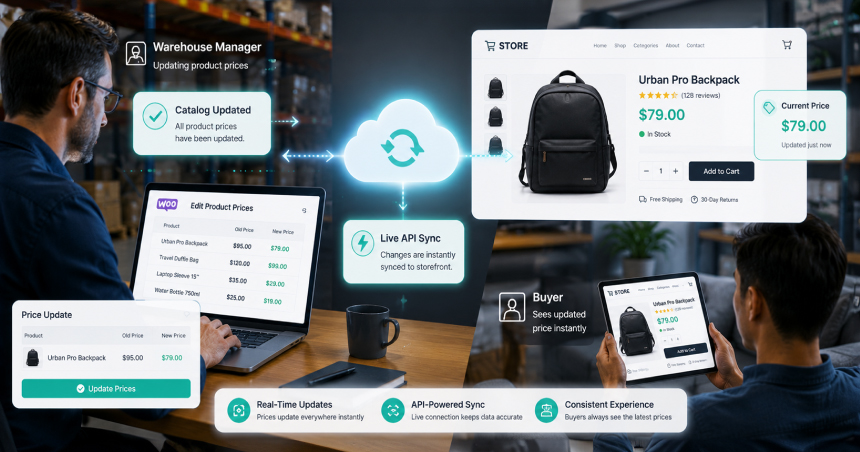
ChatSKU syncs your catalog and pricing data over the API in the background, so the assistant answers from current data without a manual refresh. How often that sync runs scales with how often your catalog actually changes.
For the moments that matter most, a buyer close to requesting a quote or checking out, it reads the plugin’s price at the point of the question. That way a wholesale buyer never sees a stale figure at the exact moment the number counts.
That accuracy matters most for the buyers who show up when nobody’s watching, which is the after-hours buyer problem in practice, not theory.
What does the WooCommerce B2B integration process actually look like?
You connect ChatSKU to a WooCommerce B2B store by pinning down which plugin runs your pricing, issuing read-only REST API keys, wiring in the WordPress users endpoint for buyer roles, pointing ChatSKU at that plugin’s price data, mapping your quote or RFQ state, setting a sync cadence, then embedding one script and testing as a real buyer before you turn it on. Most of the work is locating where your prices actually live, not writing code.
Here is what each step involves.
- Identify the active B2B pricing plugin. Confirm whether you’re running B2BKing, Wholesale Suite, WholesaleX, Addify, some combination, or a custom role-based system your team built in-house. This one answer shapes every step that follows.
- Generate read-only WooCommerce REST API keys. In WooCommerce > Settings > Advanced > REST API, create a key pair scoped to read access. That is all ChatSKU needs to reach products, stock, and orders.
- Connect the WordPress users endpoint. This is the role and group layer WooCommerce’s customer resource only partly exposes, and it’s how ChatSKU maps a logged-in buyer to the right pricing tier.
- Point ChatSKU at your plugin’s pricing. For B2BKing-style plugins, this is a metadata read over the existing connection. For Wholesale Suite, it’s a separate call to its own namespace.
- Map your quote and RFQ state. WooCommerce has no native quote object, so this depends on how your plugin represents a quote request, usually a custom post type or an extended order status.
- Set the sync cadence. Background sync keeps catalog and pricing data current, and prices are read at the point of a quote. Match the sync frequency to how often your catalog changes.
- Embed the script and test as a real buyer. Drop ChatSKU’s snippet into your theme footer, sign in under an actual B2B role, and run a live pricing question before you go live. If that price is right, everything upstream of it is too.
Every one of these steps is designed to run without touching your storefront’s theme files beyond the footer embed. If you want to see it running before committing engineering time, see a live demo against a WooCommerce B2B setup similar to yours.
Does ChatSKU replace my B2B pricing plugin?
No. ChatSKU reads the pricing your plugin already calculates, it doesn’t replace the plugin’s rule engine or recalculate anything on its own. B2BKing, Wholesale Suite, WholesaleX, and Addify keep doing exactly what they already do.
What changes is who’s answering the buyer at 9pm when a question comes in. That’s the same principle behind B2B conversational commerce generally: augment the sales motion your team already runs, don’t rebuild it.
What does this integration cost, and how fast does it go live?
Most WooCommerce B2B integrations, once the active plugin is identified, go live in hours rather than weeks, because nothing here requires a site rebuild or a data migration. Pricing scales with catalog size and plugin complexity rather than a flat rate. If you want the exact number for your SKU count and plugin stack, start a free trial and connect your store directly.
Worked example: what a plugin-aware integration is worth
Take a distributor running WooCommerce and B2BKing across 9,500 SKUs. Before a catalog assistant that could correctly read B2BKing’s group pricing, after-hours traffic converted at 1.5%. Roughly 1,150 sessions came in outside business hours each month, and most of them left without a price, because nobody was there to answer.
After connecting a plugin-aware assistant that reads role, group, and product data correctly, conversion on that same after-hours traffic moved to 3.2%. At an average order value of $980, that’s a jump from roughly 17 orders a month to roughly 37. You can model your ROI against your own SKU count and AOV instead of these illustrative numbers.
| Metric | Before | After |
|---|---|---|
| After-hours conversion rate | 1.5% | 3.2% |
| Orders per month (after-hours) | ~17 | ~37 |
| Monthly revenue (after-hours) | ~$16,660 | ~$36,260 |
| Annual gain | n/a | ~$235,200 |
None of that math works if the assistant is quoting the wrong price to a wholesale buyer, or worse, quoting retail price to someone who should be seeing a tier discount. That’s why the plugin-detection layer isn’t a technical footnote, it’s the mechanism the ROI number depends on. Gartner has found that 67% of B2B buyers prefer at least part of their purchase to happen without talking to a sales rep, and pricing accuracy is the entire reason that preference converts instead of bouncing.
People also ask
Does ChatSKU need my B2BKing or Wholesale Suite login, or just API keys?
Just API keys. ChatSKU connects through WooCommerce’s REST API and, where applicable, a plugin’s own namespace. It never needs your admin login or dashboard access to either plugin.
What happens if I run more than one B2B pricing plugin at once?
ChatSKU reads whichever plugin is actually pricing a given product, which some stores split by category or migration status. The setup step that identifies your active plugins accounts for mixed setups, it’s the same reason step one exists.
Can ChatSKU integrate with a custom-built role pricing system, not a plugin?
Yes, as long as the custom logic exposes role and price data through the WordPress or WooCommerce REST API, or through a documented endpoint your developer built. The read pattern is the same, only the source changes.
Conclusion
WooCommerce was never built with B2B pricing in mind, so every B2B WooCommerce store is running a patchwork, and integrating a catalog assistant means reading that patchwork correctly, plugin by plugin, not treating “connect your pricing” as a single checkbox.
Start a free trial and connect your store directly, live in hours, no credit card required. Or see a live demo built against a WooCommerce B2B setup like yours.
Frequently asked questions
Does ChatSKU need admin access to my WooCommerce site, or just API keys?
Which B2B pricing plugin is easiest for ChatSKU to read: B2BKing, Wholesale Suite, WholesaleX, or Addify?
Architecturally, Wholesale Suite is the most straightforward because it exposes a documented, dedicated namespace. B2BKing is equally reliable but reads through standard metadata rather than a purpose-built resource. WholesaleX and Addify are readable at the general product-data level, though neither publishes documented endpoints the way Wholesale Suite does.
What if I don't use a B2B plugin at all, just custom role-based pricing I built myself?
That’s workable, provided the custom logic exposes role and price through a REST-accessible source. Your developer can confirm this in an afternoon, and it’s worth checking before assuming a rebuild is required.
Does ChatSKU query WooCommerce live, or does it work from synced data?
ChatSKU keeps catalog and pricing data synced over the API in the background, and reads the plugin’s price at the point a buyer requests a quote or checks out, where accuracy matters most.
What happens if I switch B2B pricing plugins later?
The integration’s detection step re-runs against the new plugin’s data model. Since the WooCommerce and WordPress core API layers stay the same regardless of which plugin sits on top, only the pricing-layer connection needs to change.
Can ChatSKU handle RFQ or quote-request data if my plugin doesn't publish a public API?
In most cases, yes, because quote state usually lives as a custom post type or an extended order status, both of which are reachable through WooCommerce’s standard REST API even when the plugin itself has no dedicated public documentation.
Does this integration work with a headless or decoupled WooCommerce build?
Yes, with one adjustment. Instead of embedding the script tag in a WordPress theme footer, it gets added directly to your custom frontend’s shell component. The underlying API connections work the same way either way.
Turn your catalog into a 24/7 sales channel