
Executive summary
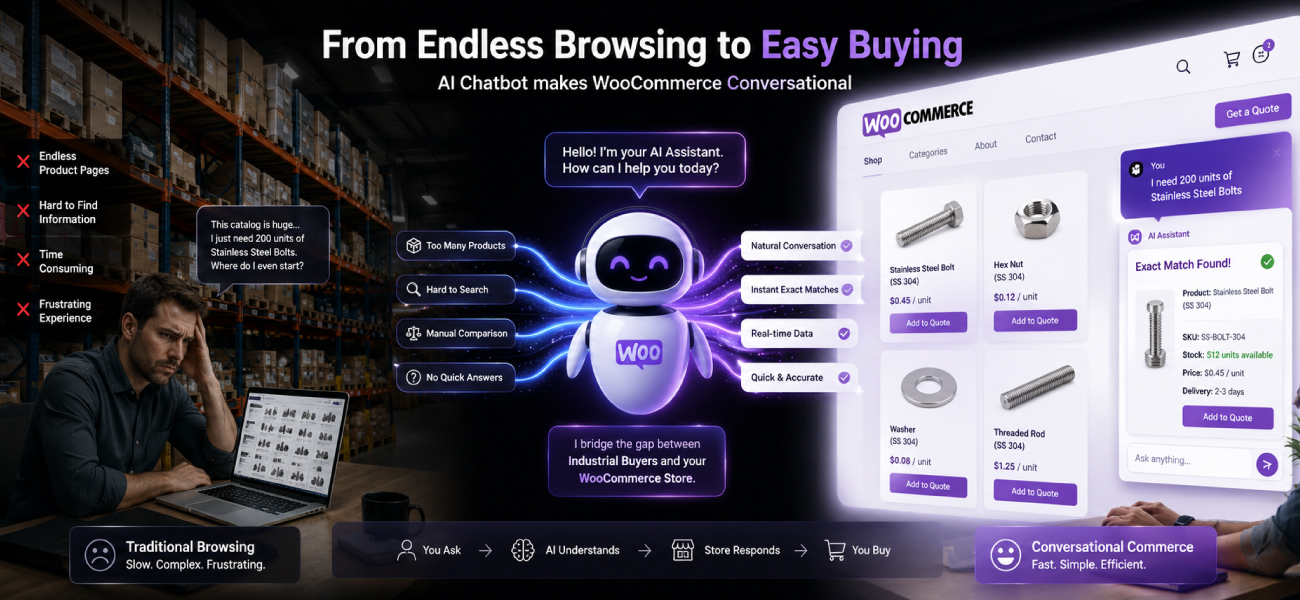
A B2B chatbot for WooCommerce is an AI catalog assistant that reads your full product catalog and answers buyer questions on specs, pricing, and availability around the clock. It works on top of WooCommerce and your B2B plugins, not as a replacement for them.
Most WooCommerce stores bolt on a generic chat widget and see nothing change. The reason is simple. Generic tools answer FAQs. B2B buyers ask catalog questions. Those are different jobs.
This guide covers what a B2B chatbot does on WooCommerce, why B2B stores need one more than B2C, the seven steps to add one, how B2B plugins fit in, real cost ranges, and a worked revenue example.
Introduction
It’s 8pm. A purchasing manager lands on your WooCommerce store with 4,000-plus SKUs in front of her. She needs one thing: a 1-inch brass valve rated for a specific pressure, in the quantity her job requires, at her account’s price.
She searches. She filters. She opens four product pages. None confirm her price or her minimum order. Your sales team is offline. So she fills out an RFQ form and waits.
By morning, a faster supplier has already quoted her. You never knew she visited.
The owner’s instinct is to install a chatbot. So he adds a generic one. Conversion stays flat. Here’s the part nobody tells you. The fix isn’t another chat widget. It’s a B2B-aware AI catalog assistant built for the way WooCommerce stores actually sell.
What is a B2B chatbot for WooCommerce?
A B2B chatbot for WooCommerce is an AI catalog assistant that understands your products, customer-specific pricing, and quote workflows, then answers buyers in plain language 24/7. It is not a support bot, and it is not a marketing pop-up. It sells from your catalog.
The difference comes down to what the tool reads. A support bot reads a help-desk knowledge base. A marketing bot reads canned campaign scripts. A B2B catalog assistant reads your actual WooCommerce catalog: SKUs, variants, custom attributes, stock, and the pricing rules your plugins enforce.
That last part matters. B2B selling runs on customer groups, tiered pricing, minimum order quantities, and RFQ flows. A tool that can’t see those answers the wrong question. If you’re new to the category, our guide on what a B2B catalog chatbot is covers the fundamentals.
In short: it’s the conversational layer that turns a static WooCommerce catalog into something that answers and sells.
Why do WooCommerce B2B stores need a chatbot more than B2C?
WooCommerce B2B stores need a chatbot more than B2C stores because B2B buying is harder to self-serve. The products are technical, the pricing is account-specific, the orders are quote-driven, and the buyers research after hours. A static catalog can’t carry that weight. A B2B-aware assistant can.
B2C buying is mostly browse, click, buy. B2B buying is not. Here’s why the gap is wider for B2B WooCommerce stores.
- Complex products. Technical specs, compatibility, and certifications decide the sale. Buyers ask questions a product page can’t anticipate.
- Account-specific pricing. Two buyers see two different prices. Contract tiers and wholesale rates live behind a login, not on the public page.
- RFQ-driven sales. Many B2B orders never hit add-to-cart. They start as a quote request, then stall in an inbox.
- Long buying cycles. Multiple stakeholders, multiple visits, weeks of evaluation. A buyer who can’t get an answer moves on.
- After-hours research. Procurement happens at night and on weekends, when your team is offline. We cover this pattern in depth in our breakdown of the after-hours buyer behavior most stores never see.
Gartner found that 67% of B2B buyers prefer a rep-free buying experience for at least part of their purchase (Gartner, 2026). Rep-free only works if something answers when the rep is gone. Without it, you’re left with a passive catalog that shows products but can’t close.
What can a B2B chatbot actually do on WooCommerce?
A B2B chatbot on WooCommerce answers SKU-level questions, shows customer-specific pricing, builds quotes inside the chat, handles large-catalog discovery, captures after-hours leads, and routes serious buyers to your team with full context. It does the work your product pages and contact form can’t.
Here are the six things it does that move revenue.
1. Answer SKU-level product questions
Buyers ask specifics. Voltage, thread size, material grade, lead time. The assistant reads the SKU and answers from your catalog data, not a guess. No ticket, no wait.
2. Show customer-specific pricing
A logged-in buyer asks “what’s my price on 100 units?” and gets their tier’s number, not list price. The assistant reads the pricing rules your B2B plugin already enforces and explains them in words.
3. Build quotes inside the chat
Instead of a dead-end form, the buyer assembles a quote in conversation. The assistant captures quantities, SKUs, and contact details, then hands a clean RFQ to your team. This is the conversational front end to an automated RFQ workflow.
4. Handle large-catalog discovery
“Show me 1-inch brass valves under $500.” A buyer can’t filter their way to that on a 4,000-SKU store. The assistant searches the catalog in trade language and returns matches in seconds.
5. Capture after-hours leads
When your team is offline, the assistant keeps selling. It answers, qualifies, and captures the buyer’s intent so nothing slips away overnight.
6. Route serious buyers to sales with context
When a buyer is ready, the assistant hands off the full conversation. Your rep opens the deal already knowing the SKUs, the quantity, and the question. No re-discovery. This is an AI sales assistant doing the qualifying before a human ever picks up.
The table below shows why a generic tool can’t do these jobs.
| Capability | Generic chatbot | B2B-aware chatbot for WooCommerce |
|---|---|---|
| Reads your full SKU catalog | No, reads an FAQ script | Yes, reads SKUs, variants, attributes |
| Customer-specific pricing | Shows list price only | Shows the buyer’s contract tier |
| Builds an RFQ in chat | Links to a form | Assembles the quote in conversation |
| Large-catalog discovery | Keyword match, weak | Trade-language catalog search |
| After-hours qualification | Collects an email | Answers, qualifies, captures intent |
| Works with B2B plugins | Ignores them | Reads their pricing and group rules |
| Hands off with context | Dumps a transcript | Passes SKUs, quantity, and intent |
How do you add a B2B chatbot to your WooCommerce store?
To add a B2B chatbot to your WooCommerce store, export your catalog, choose a B2B-specific platform, connect your customer groups and pricing, configure your RFQ workflow, add the script to your theme, test with a real buyer scenario, then go live. Most of the work is configuration, not code.
Here are the seven steps, in order.
- Export your WooCommerce product catalog. Use WooCommerce’s built-in product CSV exporter to pull SKUs, attributes, and variations. A direct WooCommerce connection or REST sync works too.
- Choose a B2B-specific platform. Pick a tool built to read a catalog and B2B pricing, not a generic support widget. This single choice decides whether the project works. Closely related is B2B conversational commerce as a strategy.
- Connect your customer groups and pricing tiers. Map your wholesale roles, contract tiers, and account-level prices so the assistant answers each buyer with the right number.
- Configure your RFQ workflow. If you sell quote-first, define how the assistant captures line items and routes the request to your team.
- Add the script to your WooCommerce theme. Paste one snippet into your theme, or drop it in with a plugin. No rebuild, no developer sprint.
- Test with a real B2B scenario. Pretend you’re a buyer. Ask for a tiered price, request a quote, search for an obscure SKU. Fix the gaps before buyers find them.
- Go live. Turn it on. Watch the after-hours conversations start landing in your inbox the same week.
What about WooCommerce B2B plugins? Do you still need a chatbot?
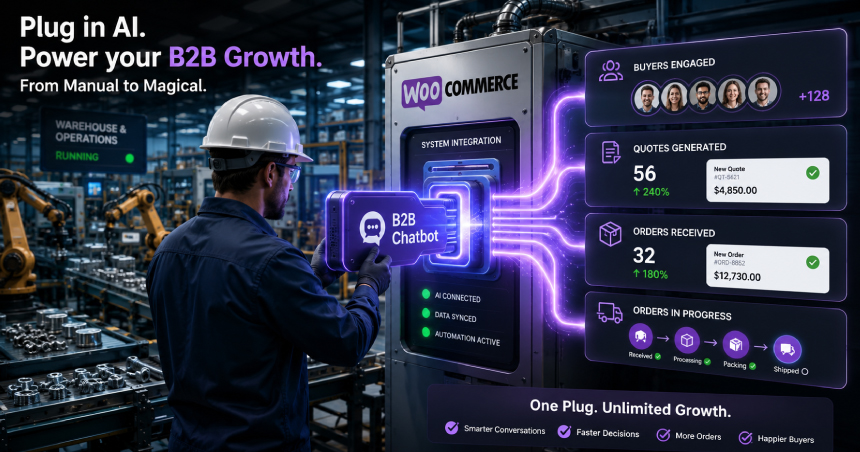
Yes, you still need a chatbot. WooCommerce B2B plugins structure your data. They don’t talk to buyers. A plugin sets the tiered price. The assistant explains that price to a buyer asking a question at 9pm. They solve different halves of the same problem, and they work together.
The B2B plugin space is mature. The main players each handle pricing, customer groups, and quotes in their own way.
- B2BKing. A full dynamic rule engine, customer groups, unique per-customer prices, and a built-in RFQ module.
- Wholesale Suite. Wholesale roles and price fields per product. Simpler to set up, lighter on quote logic.
- B2B for WooCommerce. Customer groups, tiered pricing, and request-a-quote flows in one extension.
These plugins are the plumbing. They decide what a buyer is allowed to see and pay. What they don’t do is answer the buyer who’s confused, comparing, or shopping after hours. That’s the gap a B2B catalog assistant fills. Example: B2BKing sets the 100-unit tier price. The assistant answers “what’s my price on 100 units, and what’s the lead time?” in the buyer’s own words.
So the rule is simple. Keep your plugin. Add the conversational layer on top. If you sell through distribution, our page built for distributors and wholesalers shows how the two fit together.
How long does it take to add a B2B chatbot to WooCommerce?
Adding a B2B chatbot to WooCommerce takes under a day with a ready-made platform like ChatSKU, or two to four weeks for a custom build. The difference is whether the tool already knows how to read a catalog, or whether someone has to teach it from scratch.
With ChatSKU, deployment is three steps.
- Send your catalog. A WooCommerce export, a CSV, or even a PDF. Whatever you have.
- ChatSKU configures it. We map your catalog, pricing tiers, and RFQ flow for your store.
- Paste one script tag. Drop it in your theme and you’re live.
In our experience deploying ChatSKU across WooCommerce B2B stores, the first after-hours conversation usually lands within days of going live. Custom builds, by contrast, spend weeks on data plumbing before they answer a single question.
How much does a B2B chatbot for WooCommerce cost?
A B2B chatbot for WooCommerce costs anywhere from $50 a month for a generic widget to $100,000 for a custom build. The honest answer: price tracks fit. The cheapest tools rarely handle B2B catalogs, and the most expensive ones take months to ship.
Here’s how the market breaks down.
- Generic chatbots: $50 to $500 per month. Cheap, fast to install, poor B2B fit. They answer FAQs, not catalog questions.
- B2B-aware platforms: $200 to $2,000 per month. Built to read a catalog and pricing. The right category for most B2B WooCommerce stores.
- Custom builds: $20,000 to $100,000. Bespoke and powerful, but a long timeline and ongoing maintenance.
ChatSKU sits in the B2B-aware tier: catalog-ready, live in hours, billed as a monthly subscription. It’s the same approach behind our Magento B2B chatbot and BigCommerce B2B chatbot, tuned for WooCommerce. The platform matters less than the fit. The math, though, is what decides it.
A real example: a WooCommerce store before and after a B2B chatbot
Consider a WooCommerce distributor with 4,200 SKUs, a $750 average order value, and 980 after-hours visitors a month. Before adding a B2B assistant, after-hours conversion sat at 1.6%. After, it rose to 3.4%. That swing is worth $158,760 a year. The numbers below show why.
This is an illustrative example, not a guaranteed result. The point is the mechanism, not the exact figure.
| Metric | Before (passive catalog) | After (B2B assistant) |
|---|---|---|
| After-hours visitors / month | 980 | 980 |
| Conversion rate | 1.6% | 3.4% |
| Orders / month | 16 | 33 |
| Average order value | $750 | $750 |
| Monthly after-hours revenue | $11,760 | $24,990 |
| Monthly gain | – | $13,230 |
| Annual gain | – | $158,760 |
The lift doesn’t come from more traffic. It comes from answering the buyers who were already there and leaving. That’s the cost of a slow reply, the same dynamic we cover in the response gap between buyer question and supplier answer.
Is your WooCommerce store ready for a B2B chatbot? A quick check
Your WooCommerce store is ready for a B2B chatbot if you sell to businesses, carry a large catalog, run account-specific pricing, and get after-hours traffic. If you check most of the boxes below, a passive catalog is quietly costing you deals. If you check few, you may not need one yet.
- You sell to other businesses, not just consumers.
- You have more than 500 SKUs in your catalog.
- Your average B2B order value is over $300.
- You use customer-specific pricing or wholesale tiers.
- You receive RFQ submissions on a regular basis.
- You have after-hours website traffic your team can’t cover.
- Your sales team answers repetitive product questions every day.
Want the dollar figure for your own store? Run your numbers through the ROI calculator before you commit to anything.
Conclusion
Back to that 8pm buyer with the brass valve question. With a passive catalog, she waits until morning and buys from someone faster.
With a B2B catalog assistant on your WooCommerce store, she gets her price, her lead time, and a quote before she closes the tab. The deal is yours.
The plugins handle the pricing. The assistant handles the conversation. Together they turn a catalog that sits there into one that sells after hours. Live in a day, one script tag, no rebuild.
Frequently asked questions
Does ChatSKU work with B2BKing, Wholesale Suite, or B2B for WooCommerce?
Will the chatbot slow down my WooCommerce site?
What about customer-specific pricing that's only visible after login?
Can the chatbot create WooCommerce quotes or orders?
Does it work on mobile?
How does it handle product variations?
What if my catalog is a PDF, not in WooCommerce yet?
Turn your catalog into a 24/7 sales channel
Stop sending PDFs. Start capturing demand.
Try ChatSKU Free →
About the author
Gigi JK is the founder of ChatSKU and Virtina, bringing more than 28 years of experience across digital transformation, eCommerce strategy, AI-driven growth systems, and business modernization. His work spans startups, scale-ups, and SMBs, with a focus on turning complex operational problems into practical growth frameworks. Before ChatSKU, Gigi built and scaled a seven-figure eCommerce business and led Virtina as an eCommerce engineering and business transformation consultancy. At ChatSKU, he focuses on helping B2B manufacturers, distributors, and wholesalers make complex catalogs searchable, quote-ready, and agent-ready without forcing a full platform rebuild.