
Executive summary
Every AI chatbot demo looks brilliant. That is the point of a demo. The hard part is knowing whether the tool still works six months later, on your real catalog, in front of a real buyer.
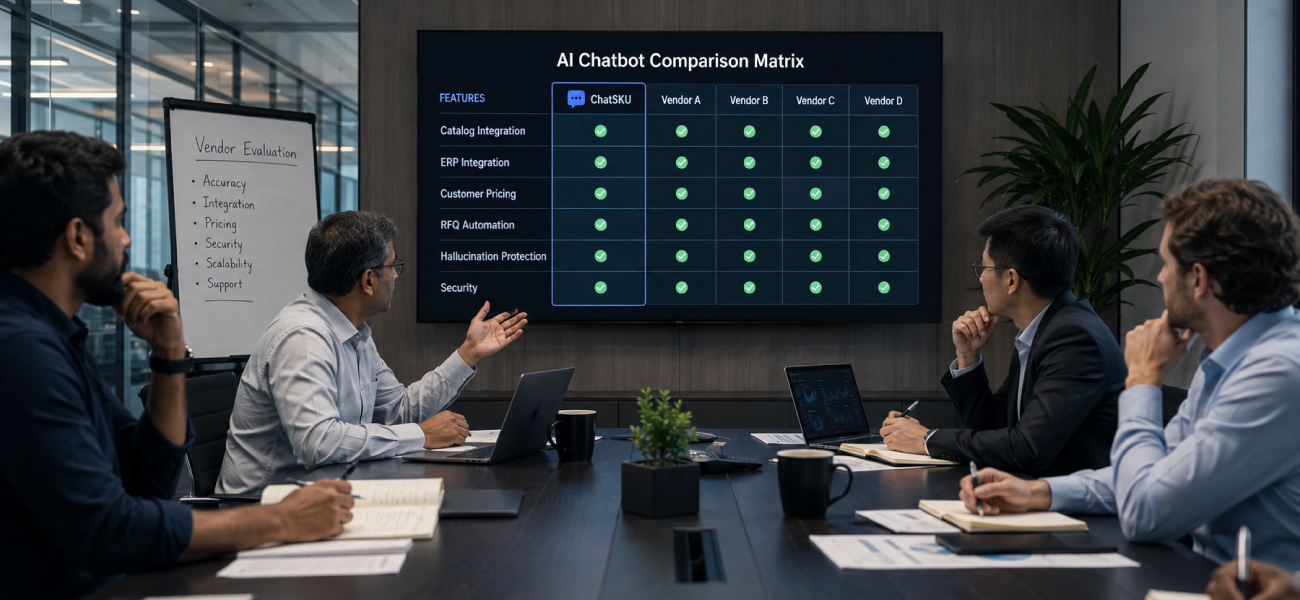
This is a buyer’s guide for B2B sellers evaluating an AI chatbot. Not a feature checklist. A set of pointed questions that separate a real B2B catalog assistant from a generic bot that will stall the moment a buyer asks about pricing or stock.
If you sell as a manufacturer, distributor, or wholesaler, start here. Ask these questions before you sign anything, and make the vendor prove each answer on your data.
Introduction
Here is how most bad purchases happen. The demo is polished. The sales rep types a clean question. The bot answers in a friendly voice. You sign.
Then reality arrives. Your catalog is a 4,000-page PDF and three messy spreadsheets. Your pricing changes by customer. Your buyers ask about a specific SKU variant at 9pm. And the tool that dazzled you in the demo goes quiet.
The fix is not a better demo. It is better questions. Ask the eight below before you sign anything, and make the vendor answer them on your data, not their sample.
Run a factory floor? Our checklist on the AI chatbot for manufacturers covers the same ground with a plant-floor lens.
Can it read my real catalog, not a clean sample?
This is the first question, and it filters out half the market. A demo catalog is tidy. Yours is not.
Ask the vendor to load your actual files. Your PDFs, your Excel exports, your ERP dump, messy formatting and all. A real AI catalog assistant ingests those sources and understands specs, variants, and compatibility. A weak one needs you to clean and re-tag everything first.
What a good answer sounds like: “Send us your files as they are. We will show you answers on your SKUs this week.”
Red flag: a long “data readiness” project before you see a single answer on your own products.
Does it understand my B2B pricing, not just list price?
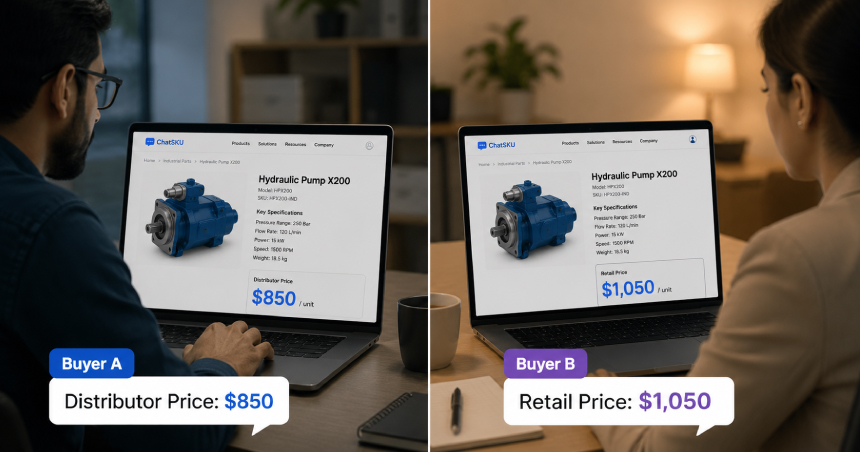
B2B pricing is not one number. It is a matrix of customer groups, tiers, contract rates, and minimums. If the tool only shows public list price, it is a consumer toy wearing a B2B badge.
Ask how it recognizes a logged-in buyer and applies their price. Ask what happens with a wholesale tier versus a one-off retail buyer. The answer should be specific, not “we support pricing rules.”
Red flag: the demo only ever shows one price to everyone. Your buyers will notice, and so will your margin.
Can it actually build a quote, or does it just answer questions?
Answering questions is table stakes. Closing is the job. A buyer who gets a spec answer still needs a price, a lead time, and a way to move forward.
Ask whether the tool can assemble a multi-line quote, capture an RFQ, and hand a ready deal to your team. That is the difference between a helpful FAQ and a working sales layer. Our guide to RFQ automation covers what that flow should look like.
Red flag: “It routes them to your contact form.” That is the same black hole you already have.
What stops it from making up an answer?
This is the question nobody asks, and the one that will burn you. A general AI model will happily invent a spec or a price to sound helpful. In B2B, a confident wrong answer is worse than no answer.
Ask what the tool is allowed to answer from. It should be grounded in your catalog, not the open internet. It should say “let me get that confirmed” when it does not know, and hand off cleanly instead of guessing.
What a good answer sounds like: “It only answers from your approved data, and it escalates anything it is unsure about.”
Red flag: the vendor cannot explain where answers come from, or waves it away as “the AI just knows.”
When it can't answer, who gets the lead?
No tool answers everything. What matters is what happens next. A buyer asks something complex, the tool reaches its limit, and then the moment either becomes a captured lead or a lost one.
Ask how handoff works after hours, when your team is offline. The tool should capture the buyer, the full conversation, and the intent, then route it to you with context. This is exactly the after-hours buyer gap that quietly drains pipeline.
Then ask the ownership question plainly: whose lead is it? The answer must be yours. Every contact, every transcript, exportable and in your systems.
Where does my catalog and customer data go?
You are handing a vendor your product data and your buyer conversations. Treat that seriously. This is not just an IT box to tick.
Ask where your data is stored, who can see it, and whether it is used to train shared models. Ask what happens to it if you cancel. A serious vendor answers in plain language and puts it in writing.
Red flag: vague reassurance, or a contract that lets them reuse your catalog and customer data however they like.
How fast can it go live, and does it need a rebuild?
Speed to value is a real buying criterion, not a nice-to-have. A tool that takes six months to launch is a tool that changes nothing this year.
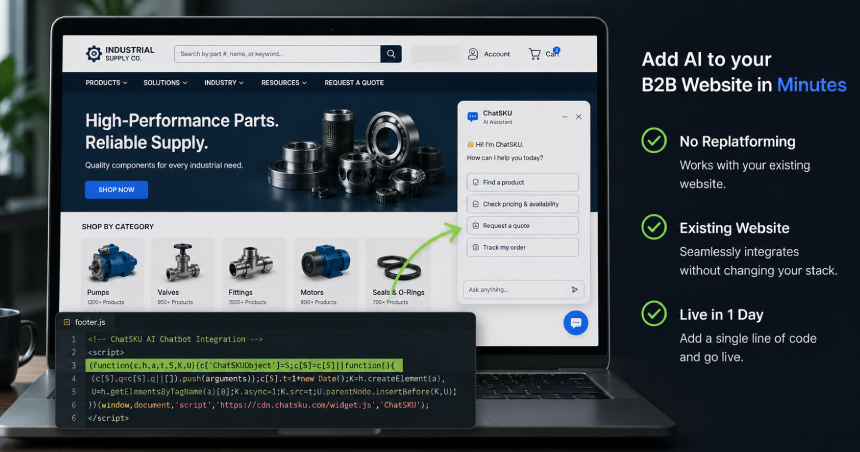
Ask what launch actually requires. The best case is a single line of code on your existing site, live in about a day, with no replatforming. Compare that to a “phased implementation” that needs your developers, a new theme, and a steering committee.
Red flag: “rebuild first, then integrate.” You should be capturing buyers while the old site still runs.
How does the vendor charge, and can they prove it works?
Price is easy to compare on a slide and hard to compare in real life. Per seat, per conversation, per resolved query, and a stack of add-ons all read very differently at scale.
Ask for the full cost at your expected volume, including overage. Then ask for proof: a free trial on your own catalog, and references from sellers your size. A confident vendor lets you test before you commit. When you are ready to compare options, our roundup of the best B2B catalog chatbots is a fair place to start.
Red flag: no trial, no references, and a price that only makes sense if you never grow.
People also ask
What is the single most important question to ask before buying an AI chatbot?
Whether it can answer on your real catalog and pricing, not a demo sample. Everything else follows from that. A tool that cannot handle your actual data will not survive contact with your buyers. Manufacturers can layer on the plant-floor angles in our guide to the questions manufacturers should ask.
How is a B2B catalog assistant different from a generic chatbot?
A generic bot follows scripts and answers FAQs. A B2B catalog assistant reads your product data, applies customer-specific pricing, and builds quotes. Here is the fuller explanation of what a B2B catalog chatbot is.
Should I build my own AI chatbot or buy one?
Building looks cheaper until you price the upkeep. Catalog ingestion, pricing logic, and accuracy guardrails are hard to build and harder to maintain. For most sellers, buying a tool built for B2B catalogs is faster and safer.
How long should an AI chatbot take to go live?
For a catalog assistant that adds to your current site, plan on days, not months. If a vendor quotes a multi-month rollout for a standard catalog, ask why. Speed to value is part of the product.
Conclusion
Frequently asked questions
No. The questions in this guide are business questions, not technical ones. Load your real catalog, ask about your real pricing, and watch what happens. If the tool needs a data-science degree to use, that is your answer.
It varies by volume and features, so compare total cost at your expected usage, not the headline number. Watch for per-conversation fees and add-ons that scale faster than you do. Always ask for the price at the volume you expect next year.
A B2B-grade one can. It should recognize a logged-in buyer, apply their group or contract tier, and show the right price in the conversation. If it only shows one public price, it is not built for B2B.
A good tool reads exports from systems like NetSuite, SAP, or Acumatica, and sits on stores built on Shopify, WooCommerce, or Magento. Ask specifically how it connects to yours, and see our feature overview for what it plugs into.
That is why grounding and guardrails matter. The tool should only quote from your approved pricing data and escalate anything uncertain. Ask the vendor to show you exactly how it prevents a confident wrong answer.
You do not, until you test it on your data. Insist on a trial with your own catalog and pricing before you sign. A vendor confident in the product will say yes.
You should be able to. A free trial on your real catalog is the fastest way to cut through the sales pitch. Start a free trial and see how it answers your buyers.
Turn your catalog into a 24/7 sales channel
Stop sending PDFs. Start capturing demand.
Try ChatSKU Free →
About the author
Gigi JK is the founder of ChatSKU and Virtina, bringing more than 28 years of experience across digital transformation, eCommerce strategy, AI-driven growth systems, and business modernization. His work spans startups, scale-ups, and SMBs, with a focus on turning complex operational problems into practical growth frameworks. Before ChatSKU, Gigi built and scaled a seven-figure eCommerce business and led Virtina as an eCommerce engineering and business transformation consultancy. At ChatSKU, he focuses on helping B2B manufacturers, distributors, and wholesalers make complex catalogs searchable, quote-ready, and agent-ready without forcing a full platform rebuild.