

Executive summary
B2B catalog sites average a 1.8% conversion rate in 2026, according to DMNews. For industrial equipment sites specifically, Atwix and Elogic data from 250-plus implementations clusters at the same number. If your RFQ form conversion rate sits around 1.8%, you are not an outlier. You are the norm.
The standard prescription is form optimization. Fewer fields. Cleaner CTA copy. Mobile-friendly layout. That advice is not wrong, but it treats the wrong problem. By the time a buyer reaches your RFQ form on a typical HTML catalog site, they have already survived four to six clicks through taxonomy built for your org chart, not their language. Most do not survive. The 1.8% who submit are the ones who got lucky.
The fix is not form surgery. It is a conversational navigation layer that speaks buyer language, retrieves from your actual catalog data, and delivers the RFQ as the natural endpoint of a completed product discovery conversation. That is what separates a 1.8% RFQ form conversion rate from the 10-15% that conversational interfaces produce in head-to-head studies. This article explains why the diagnosis matters as much as the fix.
Introduction
A buyer at a packaging plant needs 50mm ball valves rated for 300 PSI. She has a delivery window. She goes to your catalog. She clicks Products. She clicks Valves. She clicks Industrial Valves. She clicks Actuated Valves. She clicks Ball Valves, 50mm diameter. Nothing filterable by pressure rating. She searches “300 PSI ball valve.” Forty-seven SKUs come back, sorted by part number. She opens three PDFs. Gives up. Fills out your competitor’s contact form instead.
She never touched your RFQ form.
This is not an edge case. Gartner data shows that 70 to 80% of the B2B buying journey is self-directed. Buyers research, filter, and qualify products before they ever contact a vendor. If your catalog forces them to call just to identify the right product, they do not call. They leave. The RFQ form is the last step in a journey that most buyers never complete. Fixing the form without fixing the journey is a 10% solution to a 100% problem. Understanding RFQ automation for manufacturers is the other half of this picture, but the upstream conversion problem has to be solved first.
The 1.8% diagnosis: where the industry gets it wrong
Search “how to improve RFQ form conversion” and every result tells you the same things. Shorten the form. Clarify the CTA. Reduce friction at the point of submission. The advice is not false. It is incomplete in a way that costs you most of your potential revenue.
Here is what the form optimization conversation skips. Formstack research from 2025, covering 1,500 B2B decision-makers, found that 67.8% of buyers abandon forms with more than seven fields. RFQ forms by design require six-plus fields. Part number, quantity, application, delivery timeline, contact name, company name. That is a minimum. Most industrial RFQ forms run ten to twelve fields. Every RFQ form lives in the abandonment zone before you write a single word of CTA copy.
MarketingSherpa found a 30% average conversion decrease for forms above five fields. HubSpot’s 2024 data puts the per-field cost at 4.1% conversion drop with each additional field. These numbers all point to the same structural reality: an RFQ form cannot be optimized its way out of this problem. The form is asking for the kind of commitment that only works after trust is already established.
But the deeper issue is not the form at all. The Baymard Institute reports that only 12% of site visitors find exactly what they are looking for on a first search attempt. Alhena AI, citing Google Cloud and Harris Poll data, found that 80% of site search users abandon after poor results. That abandonment happens at the search bar or the category page. Not at the form. The form gets blamed for an exit that happened three pages earlier.
What buyers actually do on your catalog (before they touch the form)
The real buyer journey on an HTML catalog site looks like this. The buyer arrives from a search or a referral. The homepage gives them a general value proposition. They navigate to Products. Eight to twelve category labels appear, organized around how your company thinks about its product lines. The buyer scans them looking for something that matches how they think about their problem. Sometimes a category name lands. Often it does not.
They click a category. Fifty to two hundred items appear, sorted by SKU number or part code. Filtering is limited to brand or product family. There is no filter for application, operating pressure, temperature rating, or material. The buyer tries the search bar. They type “high-pressure ball valve.” The results return a mix of related and unrelated items, some sorted by SKU, some by alphabetical product name. They reformulate. They try again. Eighty percent of buyers, according to the Google Cloud and Harris Poll data cited by Alhena AI, abandon after that first set of disappointing results.
The buyers who persist click through to a product page. The technical specifications are in a PDF download. They open it. The spec sheet is formatted for engineering review, not quick comparison. They cannot easily tell if this product matches their application without cross-referencing their own spec requirements. They close the PDF. They go back. They try a different subcategory. After two or three cycles of this, the remaining buyers reach the RFQ page. They are already tired. The blank form asks them to recall the part number they were trying to find. They do not have it memorized. They close the tab.
The 1.8% who actually submit? They either had a prior relationship with your company, knew the exact part number before they arrived, or have the patience of an experienced procurement officer with nowhere else to be. The other 98.2% are not lost because your form has too many fields. They are lost because your catalog was not built for the way they think.

Your catalog is built for you, not your buyers
This is not an accusation. It is a description of how catalogs get built. Internal product taxonomies reflect how engineering teams organize product families, how sales teams segment accounts, how operations categorizes inventory. The logic is internally coherent. It just has nothing to do with how a buyer searches for a product.
A buyer searching for a valve that handles 300 PSI at 250 degrees Fahrenheit does not know whether to click Actuated Valves, Ball Valves, High-Pressure Fittings, or Process Equipment. The category that contains the right answer depends on your internal classification system, which the buyer has no access to. So they guess. When the guess is wrong, they reformulate. Research data from multiple studies shows that 86% of buyers who encounter irrelevant results reformulate their query. On B2B catalog sites, buyers who reformulate two or three times without success do not try a fourth. They close the tab.
This is a language-matching problem, not a site design problem. Reorganizing the navigation hierarchy does not fix it. The catalog is written in supplier language. Buyers speak application language. The gap between those two vocabularies is where 80 to 90% of your potential RFQ submissions disappear.
Gartner reported in June 2025 that 61% of B2B buyers prefer a rep-free buying experience. That preference is genuine and growing. But a rep-free experience only works if the catalog can serve as a knowledgeable rep substitute. A static HTML catalog with keyword search cannot do this. It can surface products if the buyer already knows the exact product name. It cannot reason about buyer requirements and match them to appropriate SKUs. The catalog fails the rep-free expectation at the design level.
Why adding a generic chat widget makes this worse
The instinctive response to catalog navigation problems is to add a chat widget. A support-first chat tool opens with “Hi, how can I help you today?” The buyer types “I need industrial valves under $500 for high-temperature service.” The widget either responds with a generic acknowledgment, offers to connect them to a human, or produces a canned FAQ answer about product categories. None of these help the buyer find the right product. The buyer is back where they started, plus one extra click of wasted effort.
Generic support chat tools are built for FAQ and ticket workflows. They do not connect to product databases. They cannot retrieve SKU data, apply tiered pricing logic, or construct a structured quote request from a natural-language query. When a buyer asks a product discovery question, a support-first widget deflects to a human handoff form. That form is functionally another RFQ form. The buyer is in the same position they were in before they clicked the chat button, only now they are more frustrated because they tried to get help and got nothing useful.
The result: buyers click away the chat widget and go back to grinding through the category taxonomy. Or they leave. A support chat widget inserted into a product discovery task makes the friction more visible without reducing it. The buyer learns that your site cannot help them. That is worse than them not knowing. Review the ChatSKU features and you will see immediately that catalog-native conversation is a categorically different tool for a categorically different job.
The conversational navigation fix
The correct fix addresses the point where buyers actually drop off. Not the form. The catalog navigation itself.
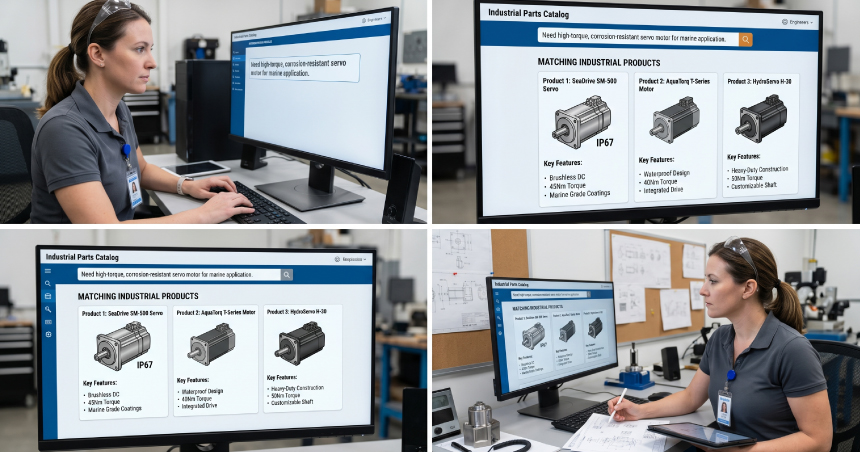
Dashform’s 2026 study covering 400-plus companies across 25 industries found that static contact forms convert at 2 to 3%. AI assistants in the same contexts convert at 10 to 15%. That gap exists for a specific reason. Trust is built incrementally during a conversation. When a buyer types “I need 50mm ball valves for 300 PSI service” and receives a response that names three specific models with their pressure ratings, the system has just demonstrated that it knows the catalog. The buyer’s next action is not commitment. It is verification. They ask a follow-up. They get a precise answer. By the time the RFQ prompt appears, the buyer has already confirmed that the product exists and matches their need. The form is not a cold ask. It is the natural next step in a conversation that has already resolved their uncertainty.
This is progressive profiling in practice. Gathering qualification data across a natural back-and-forth conversation carries less psychological cost than a ten-field blank form. The buyer provides the same information. Part number, quantity, application, delivery window. But they provide it across an exchange where each answer is contextualized and acknowledged. BusySeed research found that chat-engaged visitors have 2.8 times higher conversion odds than non-chat visitors. The mechanism is not the chat interface itself. It is the trust built through demonstrated catalog knowledge before asking for commitment.
ChatSKU is built catalog-first. It ingests your actual product data, whether that is PDFs, Excel files, or ERP exports, and answers buyer queries against real SKU records, pricing tiers, and availability data. When a buyer asks “I need industrial valves under $500,” ChatSKU retrieves from your catalog, not from a generic script. It finds the products that match. It presents the options. It walks the buyer through the qualifying questions and delivers a structured RFQ. Once that submission lands, RFQ automation for product catalogs takes over so your team never has to copy-paste quote data manually. The buyer experience changes entirely. The catalog infrastructure does not. Deployment is one line of code.
The buyer who would have spent four minutes clicking through subcategories, failed to find her product, and left without submitting, now has a direct path. Her natural-language query matches your catalog data. Her questions get answered from real product records. Her RFQ is populated from the conversation before she ever sees a blank form. ChatSKU for B2B catalogs is built specifically for this scenario, on exactly the catalog files you already have.
People also ask
What is a good conversion rate for a B2B RFQ form?
B2B catalog sites average around 1.8% visitor-to-conversion in 2026, with industrial equipment sites clustering at the lower end of that range. On sites where RFQ submission is the only conversion action, anonymous discovery traffic often converts below 1%. Authenticated reorder portals for existing customers can reach 15 to 20%. The relevant benchmark for your site depends on your traffic mix: how much is anonymous discovery visitors versus returning buyers who already know your catalog. If you are measuring the whole, 1.8% is the industry floor, not a ceiling.
Why do buyers abandon RFQ forms?
Most abandonment happens before the form, not on it. Buyers who navigated a confusing catalog arrive at the RFQ page already frustrated. They then face a long form asking for commitment before they have confirmed the product is right for their application. Formstack’s 2025 study of 1,500 B2B decision-makers found 67.8% abandonment for forms with more than seven fields. RFQ forms structurally require six-plus fields. The practical answer: form-shortening helps at the margin, but it does not address buyers who exit on the category page and never reach the form.
Why is my RFQ form not working?
If your RFQ form gets views but few submissions, the most likely cause is not the form design. It is the catalog navigation that precedes it. Check where buyers exit your site. If exit rates are high on category pages and product list pages, the friction is upstream. Buyers arrive at your form already defeated by the navigation. They face a blank ten-field form at the moment of maximum frustration. An unclear product selection process upstream is the primary driver of low B2B quote form optimization outcomes, not button color or field labels.
Does live chat improve RFQ submissions?
It depends on what the chat tool can do. Generic support chat tools rarely improve RFQ rates because they cannot answer product questions. Buyers ask, get deflected, and close the widget. AI assistants that are anchored to the actual product catalog see substantially different results: BusySeed data shows 2.8 times higher conversion odds for chat-engaged visitors compared to non-chat visitors. The determining variable is whether the chat can answer the buyer’s specific product question, or whether it defers to a human handoff and sends the buyer back to the same form they were already facing.
Conclusion
The 1.8% figure is not fate. It is the output of a navigation experience built around supplier taxonomy rather than buyer language. Fixing the form is a marginal improvement on a broken system. Adding a conversational navigation layer that speaks buyer language, retrieves from real catalog data, and presents the quote as the natural endpoint of a product discovery conversation is a structural fix. That is the difference between the 1.8% most catalog sites accept and the 10-15% that catalog-native conversation produces. Your catalog should be selling. Start there.
Frequently asked questions
Turn your catalog into a 24/7 sales channel
Stop sending PDFs. Start capturing demand.
Try ChatSKU Free →
About the author
Gigi JK is the founder of ChatSKU and Virtina, bringing more than 28 years of experience across digital transformation, eCommerce strategy, AI-driven growth systems, and business modernization. His work spans startups, scale-ups, and SMBs, with a focus on turning complex operational problems into practical growth frameworks. Before ChatSKU, Gigi built and scaled a seven-figure eCommerce business and led Virtina as an eCommerce engineering and business transformation consultancy. At ChatSKU, he focuses on helping B2B manufacturers, distributors, and wholesalers make complex catalogs searchable, quote-ready, and agent-ready without forcing a full platform rebuild.