

Executive summary

There are four realistic ways to make a B2B catalog searchable: rebuild it as a product website, implement a PIM system, host it on a flipbook platform, or add an AI catalog assistant layer over your existing PDF. Each path solves a different version of the problem at a different cost and timeline.

For most manufacturers and distributors in the ICP A range, 50 to 500 SKUs, no dedicated development team, buyers who research after hours, the AI catalog assistant is the right first move. It works with your existing PDF. It deploys in under a day. And it gives buyers a way to ask questions and start a quote without a rep involved.

The other three paths have their place. But they require months and significant budget before your first buyer gets a better experience. If you are losing deals to faster competitors right now, you cannot afford to wait for a rebuild to ship.

Why can't buyers just search my PDF the way they search a website?

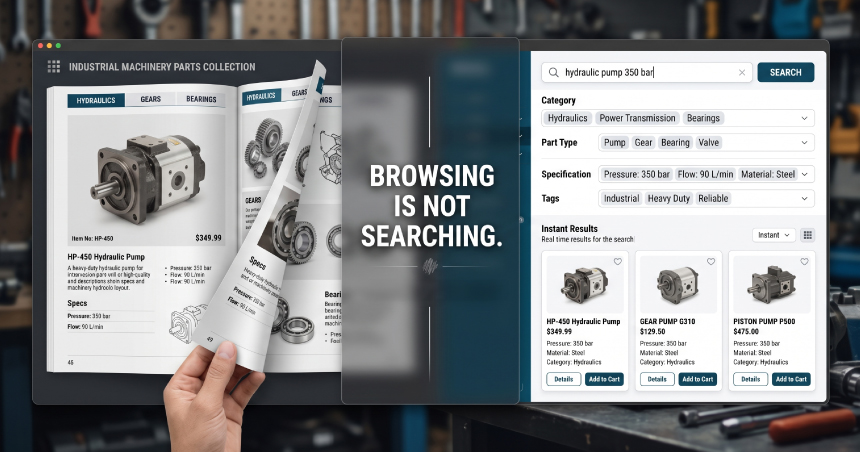
Industrial machinery parts search platform showing hydraulic pump catalog, advanced product filters, and instant search results for industrial equipment components.
PDF search and web search are structurally different. A PDF is a document. A website is a database. Those two things handle queries, typos, synonyms, and filters in completely different ways.

If your catalog was scanned from a physical document, it is stored as an image. There is no text for a search engine to read. A buyer who types “3/8 zinc bolt” gets zero results. Not because the product is not there, but because the file is a picture of the product, not a record of it. Text-based PDFs fare better, but they still return crude results: every page where the phrase appears, with no ranking, no filtering, and no ability to handle synonyms or partial part numbers.

Web-based product search handles the queries buyers actually type. “Galvanized fastener” returns zinc-plated results. “3/8 hex bolt qty 500” finds the matching SKU and the relevant tiered price break. “Fastenar” still works. Document search does none of this.

There is also a second problem that often gets tangled with the first: Google indexing. A well-structured text PDF can show up in Google search results. But an indexed PDF is not a product page. It has no structured markup, no filter navigation, no conversion path. Being findable via Google and being usable when a buyer arrives are two separate problems. This article keeps them separate because the fix for each is different.

What options do I actually have to make my catalog searchable?

There are four realistic paths. They differ by cost, timeline, and how much of your current setup you have to throw away.

Option 1: Rebuild as a product website. A purpose-built catalog website backed by a product database. The most capable option long-term. Cost runs $15,000 to $150,000 depending on scope. Mid-market builds with ERP or CRM integration often land between $50,000 and $100,000 in year-one total spend. Timeline: 12 to 16 weeks for standard builds. Complex catalog structures with deep integrations can stretch to 6 to 15 months. This is the right answer eventually. It is the wrong answer if you need results this quarter.

Option 2: Implement a PIM system. A Product Information Management platform centralizes your product data and pushes it to multiple destinations: your website, marketplaces, distributor portals, and printed catalogs. Best for manufacturers publishing to many channels simultaneously. Year-one cost: $25,000 to $90,000 including license and implementation. Timeline: 3 to 6 months for mid-market, 9 to 12 months for enterprise. This solves an internal data management problem. If your core problem is that buyers cannot find products on your site at 9pm, a PIM does not fix that directly.

Option 3: Hosted flipbook platform. Upload your PDF and the platform converts it to a web-hosted document with page-flip navigation and basic text search. Fast to set up. Affordable. But it is a presentation upgrade, not a buyer-engagement upgrade. The next section covers why this matters.

Option 4: AI catalog assistant layer over your existing PDF. An AI catalog assistant ingests your existing PDF, plus Excel files, ERP exports, or CSVs if you have them, and deploys on your current site as a conversational interface. No rebuild. No data migration project. Buyers type a question in plain English and get a direct answer from your catalog. Cost: a SaaS subscription, far less than a rebuild. Setup: hours to one day.

Won't a flipbook or digital catalog platform solve this?

A flipbook fixes the presentation problem. It does not fix the buyer-engagement problem. Those are different things.

Flipbooks do some things well. The catalog looks polished. Page-flip navigation is intuitive. You can share a link instead of attaching a file. Basic keyword search within the document works. For a prospect who already knows what they want and just needs to confirm a part number, a flipbook is a reasonable step up from a static PDF.

But here is what a flipbook cannot do: it cannot show live pricing or inventory status. It cannot surface customer-specific pricing for account holders. It cannot accept a quote request from a product listing. And when a buyer lands on your flipbook at 11pm, there is no way for them to ask a question and get an answer. The catalog is still passive. The buyer still has to wait.

There is also a traffic problem that often goes unmentioned. When a buyer finds your flipbook through Google, the traffic lands on the hosted flipbook platform’s domain, not on yours. You receive no organic search benefit. Any SEO value that could accrue from buyers engaging with your catalog goes to the platform, not to your site.

For ICP A manufacturers, the real test is this: if a buyer arrives and cannot find the right spec, can they ask a question and get an answer right now? A flipbook cannot pass that test. An AI catalog assistant can.

Do I need to clean up my product data before doing anything?

Better data means better answers. But messy data does not mean you cannot start.

Most manufacturers with 50 to 500 SKUs know their catalog has inconsistencies. Outdated prices in one version. Different spec formats across product lines. Missing attributes for newer items. This is normal. It does not disqualify you from moving forward.
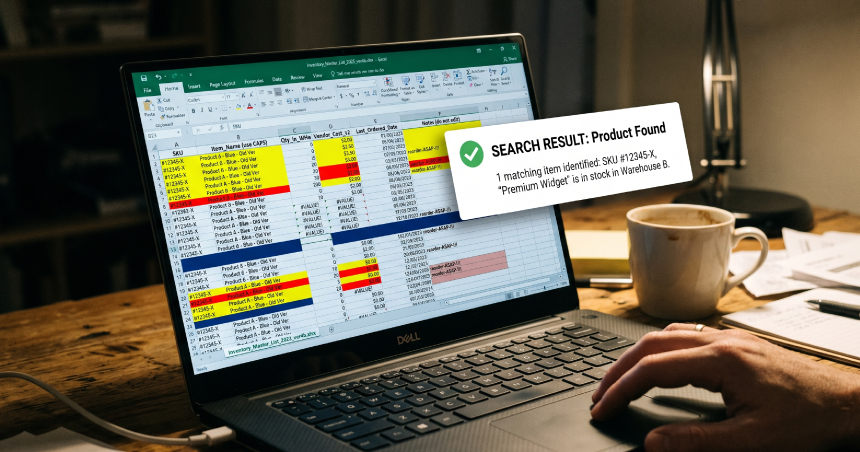
Product catalog data stored in an Excel spreadsheet transformed into searchable inventory results, showing instant SKU lookup and product discovery for B2B ecommerce and industrial catalog websites.

What matters most for an AI catalog assistant is that your catalog is text-readable. Not scanned, not image-based, just actual text that a system can read. Product names, SKUs, and specs need to be present in the document, even if imperfectly formatted. The assistant handles synonym matching and typo tolerance on the buyer’s side. It does not require perfect data. It requires readable data.

If pricing or inventory is frequently outdated in your PDF, the right move is connecting the assistant to a live data source, an ERP export or a regularly updated CSV feed, rather than waiting until the PDF is perfect. According to Logistics IT (2025), 85% of B2B buyers report product findability frustrations that lead to abandoned purchases. Every week you wait for clean data is another week of deals leaving through the side door.

What does my buyer actually see when they search my catalog through an AI assistant?

Your buyer types a question in plain English. The assistant finds the answer, shows the relevant SKUs, and offers to start a quote request. No rep involved.

Walk through the scenario. A buyer types: “do you have 3/8 inch zinc-plated hex bolts in quantities of 500?” The assistant returns the matching SKUs, notes the available stock, and surfaces the tiered pricing for a 500-unit order. If the buyer wants to move forward, they can initiate an RFQ directly from the conversation. No form submission, no waiting for a callback, no rep needed at 9pm.

Typo and synonym tolerance matter here. A buyer searching for “galvanized fastener” finds zinc-plated results. A buyer who types “fastenar” still gets a result. This is the structural difference between document search and what an AI catalog assistant does: it reads intent, not just characters.

According to 6sense, 81% of B2B buyers already have a preferred vendor in mind before they make first contact. The buyer searching your catalog at 9pm is not browsing. They are evaluating. If your catalog answers their question clearly and quickly, you stay on the shortlist. If it does not, they move to the next tab.

Gartner (2025) puts it plainly: 75% of B2B buyers prefer a rep-free buying experience. The AI catalog assistant is the rep-free path for complex B2B queries. It does not replace your sales team. It handles the early research and qualification so your reps talk to buyers who are already ready. You can calculate your revenue impact before you commit.

How long does this actually take to set up?

It depends entirely on which path you choose. The range runs from one day to fifteen months.

  • Rebuild from scratch. 12 to 16 weeks minimum. Complex builds with ERP integration: 6 to 15 months.
  • PIM system. 3 to 6 months mid-market. 9 to 12 months enterprise.
  • Hosted flipbook. Minutes to a few hours. Fast, but limited. See the section above on what flipbooks cannot do.
  • AI catalog assistant. Hours to one day. Your existing PDF is the starting point. The assistant deploys via a one-line script tag on your current site.

The AI catalog assistant path does not require a rebuild, a data migration project, or IT involvement. You do not wait for a development sprint to finish. You do not onboard a new platform and train a team on it. The existing PDF becomes the source material, and the assistant is live while your competitors are still scoping a rebuild.

For a clearer picture of what setup actually looks like, see the live demo. No gate, no discovery call required.

Frequently asked questions

Yes. There are tools designed specifically to extract product data from PDF catalogs and make it searchable online without a full rebuild. The output quality depends on how consistently the PDF is formatted and how clean the underlying data is.
For a clean, well-formatted PDF, basic conversion can happen in days. Adding search, filtering, and interactive features takes longer depending on the complexity of your product data and how much cleanup is required.
Accuracy depends on the quality of the source PDF. Machine-readable PDFs with consistent formatting convert cleanly. Scanned PDFs or those with irregular layouts often require manual review and cleanup after conversion.
Not always. Some tools handle the conversion process without custom development. You will need technical help if you want to integrate the result with your ERP, CRM, or custom pricing rules.
The PDF remains as-is. The conversion creates a new digital version alongside it. Most businesses keep the PDF available for download while directing buyers to the searchable online version for day-to-day use.

Conclusion

Your catalog is ready. Your buyers are not waiting.

ChatSKU turns your existing PDF catalog into a 24/7 AI catalog assistant that answers buyer questions, builds quotes, and captures leads, without rebuilding your website. Setup takes hours, not months. Your catalog should be working while you sleep.

Turn your catalog into a 24/7 sales channel

Stop sending PDFs. Start capturing demand.

Try ChatSKU Free →