
Executive Summary
Your ERP already “exports” your product data. That’s not the same thing as an export an AI agent can read correctly. Most of these files were built for a different job: feeding a warehouse system, populating a price list, syncing item numbers into another piece of software. Nobody asked whether the file could also answer a buyer’s spec question without guessing.
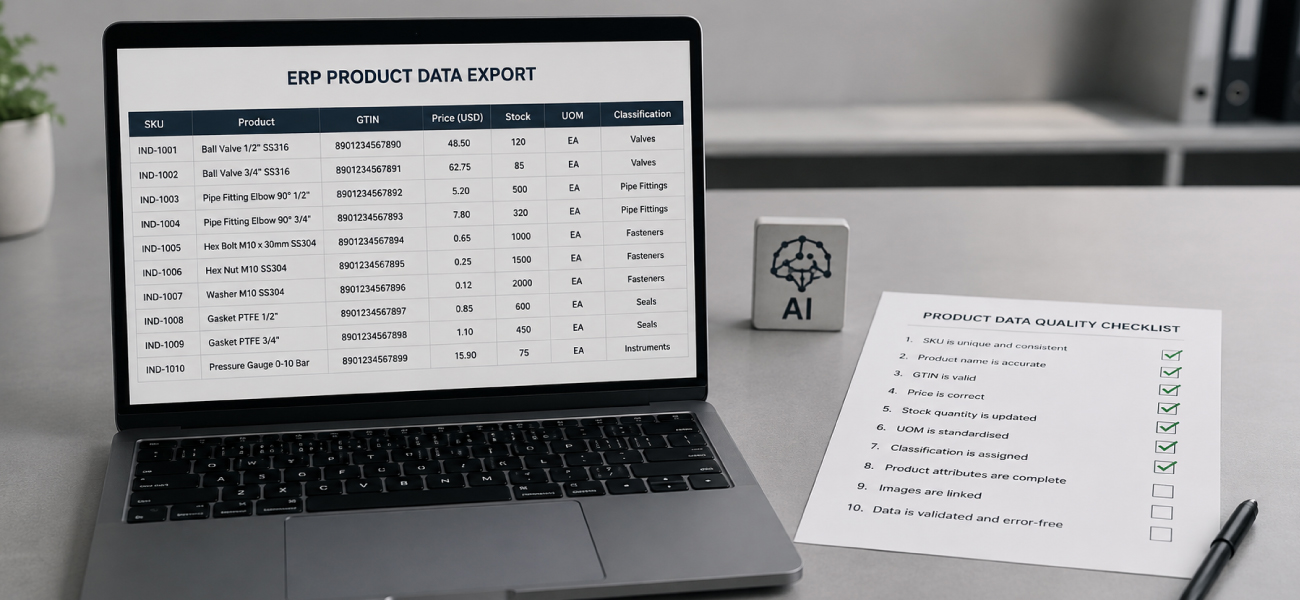
Ten specific, checkable properties determine whether it can. Not a philosophy about “clean data.” Ten things you can open a file and look at right now.
This is a technical audit, not a vendor pitch. You can run every checkpoint below against your own export in the next ten minutes, and you don’t need to buy anything to do it. The ten checkpoints, grouped into four stages:
- Do you know your export’s native format?
- Does a GTIN or long numeric ID survive the export intact?
- Does the field selection include what buyers actually ask about?
- Are there duplicate SKUs in the file?
- Do your data sources agree with each other?
- Does every product carry a classification code?
- Does that classification carry actual attributes, or just a bucket?
- Is unit of measure explicit and consistent?
- Do you know if the file is a snapshot or a live signal?
- Does pricing reflect customer groups, or one flat price?
Introduction
Someone just asked whether your catalog is ready for an AI assistant to read. A vendor, a sales director, maybe your own curiosity. You said “we already have an export,” pulled it up, and realized you don’t actually know if that’s true.
“We have an export” and “our export is AI-agent-ready” are different claims. An export that has run fine for years, feeding your warehouse system or a legacy price list, can still fail every one of the checkpoints below, because it was never built to answer a buyer’s question on its own. If you want the fuller vocabulary behind terms like GTIN, UNSPSC, and EDI before you start, the agentic commerce glossary covers those definitions. If you want the business case rather than the audit, that argument lives in AI-ready catalogs for autonomous buying. This piece assumes you already know roughly what these terms are and puts them to work as a checklist instead.
What kind of export file do you actually have?
Before you check data quality, you need to know exactly what format and mechanism produced the file sitting in front of you. Most of the checkpoints below only make sense once you’ve answered this one.
Do you know your export’s native format?
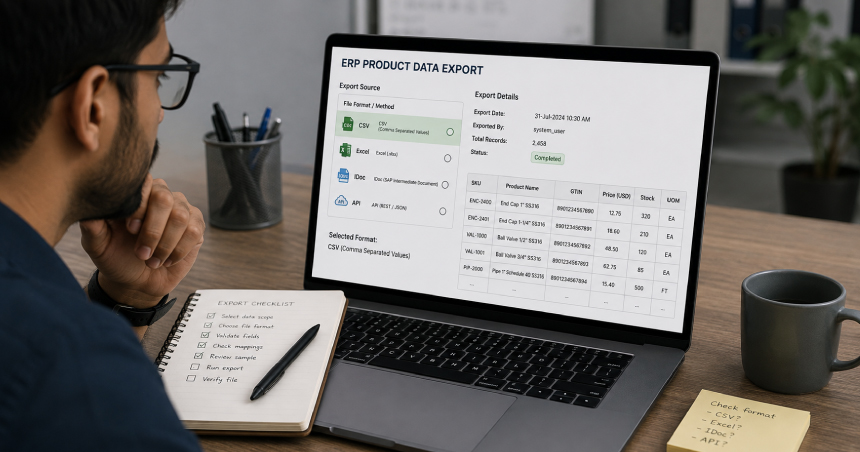
Test: name the exact format your product data leaves your ERP in, out loud, right now. Not “a spreadsheet” or “an export.” A flat CSV or Excel pull? A structured feed like SAP’s IDoc/MATMAS06? A REST/OData API call with a defined query?
If you run SAP, this matters more than it looks like it should. SAP’s native way of distributing material master data is the IDoc, specifically the MATMAS06 message type, a segment-based, EDI-like format, not a flat file. Some S/4HANA shops instead use the newer “Export Master Data” app for flat-file extracts, or pull fields directly via OData. Two SAP shops can hand you two structurally different things and both call it “the export.” See SAP IDoc documentation if you want to confirm which one you’re actually looking at.
If your “ERP” is really a WooCommerce store with a B2B pricing plugin bolted on, the export mechanics are different again, and worth checking separately in the WooCommerce B2B data guide. Magento and Adobe Commerce shops face a similar translation step, covered in the Magento B2B integration guide.
Pass: you can name the format specifically, and you know roughly when it was last touched.
Fail: “someone set this up a while back” is the honest answer.
What breaks: if nobody currently knows which fields survived translation from the source system, an assistant built against an outdated field mapping keeps answering with a value, a price, a spec, that was correct in the old format but got silently dropped or renamed after a later system upgrade. It doesn’t know it’s wrong. It just answers.
Does a GTIN or long numeric ID survive the export intact?
Test: open the file, find the GTIN, UPC, or EAN column, and check five random rows for the full digit string.
Pass: the full 12 to 14 digit identifier is intact as text, including any leading zeros.
Fail: it displays as scientific notation, something like 1.23457E+12, or the leading zeros are gone. This is the default behavior when a CSV with no type information gets opened in Excel, and it’s a documented, verified NetSuite CSV export behavior. It’s also the single easiest thing on this whole list to check yourself in under a minute.
What breaks: an assistant matching a buyer’s barcode scan or GTIN lookup against a mangled ID gets a value that matches nothing, or worse, matches the wrong product because two different GTINs rounded to the same corrupted number. GTIN is only useful as a stable identifier if it stays exact. GS1 governs the standard for exactly this reason; see the GS1 GTIN standard if you want the source.
If your export comes from an API call, does the field selection include what buyers actually ask about?
Test: pull up the field or query definition behind the export, the `$select` list, or whatever fields an integrator originally chose, and compare it against what your sales team actually fields most: price, stock quantity, category, lead time.
If you run Dynamics 365 Business Central, this is worth double-checking specifically. Items are exposed through a documented REST/OData API where `$select` controls exactly which fields come back, and the older page-based OData v4 endpoints are being retired in favor of `/api/v2.0/`. Two Business Central shops can hand over structurally different exports depending on when their integration was built, and which fields someone selected at the time.
For Epicor and Infor, the field structure varies enough by implementation that there isn’t one clean answer here. Check your own integration’s field list directly rather than assuming it matches a generic template.
Pass: price, stock, category, and lead time are all explicitly selected fields, not assumed or missing.
Fail: the integration was built for a narrower original purpose, syncing item numbers into a warehouse system, say, and buyer-relevant fields were never added.
What breaks: the assistant has no price field to read. It either declines to answer, or if a similarly named stray field exists in the data, it quotes the wrong number with full confidence.
Does your export have duplicate or conflicting records?

Once you know your file’s format, the next test is whether the records inside it are even internally trustworthy, before you worry about how rich or current they are.
Are there duplicate SKUs in the file?
Test: sort or pivot on the SKU or item-number column and look for repeats.
Pass: every SKU appears exactly once.
Fail: the same SKU shows up more than once. This usually happens when a legacy feed and a newer, manually maintained list both got merged into one export without anyone deduplicating them.
What breaks: an assistant asked about that SKU now has two conflicting records to choose from. It either arbitrarily picks one, possibly the wrong one, or hedges with a vague “conflicting information” answer. Both look broken to a buyer who just wanted a straight answer.
If your data comes from more than one source, do the sources agree?
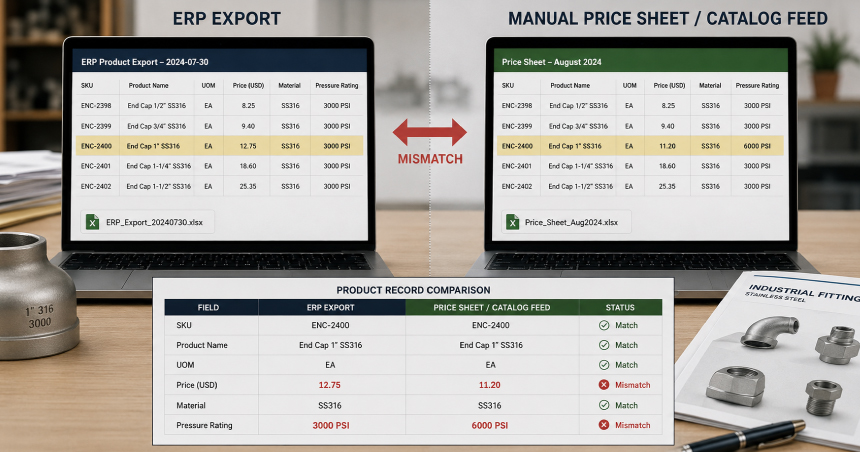
Test: pick five to ten SKUs that exist in both your primary ERP export and any secondary source (a manually maintained price sheet, an older catalog feed), then compare price and spec fields side by side.
Pass: values match across sources for the same SKU.
Fail: the ERP says one price, the manual sheet says another, and nobody has reconciled them recently.
What breaks: the same buyer question, asked minutes apart, can return two different prices depending on which file happened to feed the assistant that day. That’s the exact kind of inconsistency a human rep would never produce, and it’s the fastest way to lose a buyer’s trust in the assistant entirely.
Can an AI agent actually filter and compare your products?
Once your records are deduplicated and internally consistent, the next question is whether they’re rich enough to support the comparative, spec-level questions buyers actually ask, not just a lookup by product name.
Does every product carry a classification code?
Test: check whether the category or classification column (a UNSPSC code, an ETIM class, or an internal category field) is populated on every row, not just some of them.
Pass: populated on all or nearly all rows.
Fail: blank on a meaningful share of rows, typically the older SKUs that predate whatever classification scheme you’re currently using.
What breaks: a buyer asking to see every enclosure rated for outdoor use gets no answer for the unclassified products, not because they’re irrelevant, but because there’s no category signal for the assistant to filter on. Those SKUs effectively disappear from comparison questions.
Does your classification carry actual attributes, or just a bucket?
This is worth stating plainly, because it’s the checkpoint people skip past fastest. UNSPSC is a five-level procurement and spend classification code. By design, it carries no attribute payload. It tells you a product’s category and nothing about its specs. ETIM and eCl@ss are different: they pair a category with a defined set of technical attributes and permitted values (voltage, IP rating, dimensions) per class. That difference is the whole ballgame for technical product lines.
Test: check which standard your export actually uses, and whether attribute fields exist alongside the category code.
Pass: for technical or spec-heavy lines (electrical, HVAC, industrial components), the export includes real attribute fields, not just a category code.
Fail: a UNSPSC code and nothing else. The product is categorized, but it has no queryable specs attached.
What breaks: the assistant can say “this is an enclosure,” but it can’t answer “what’s the IP rating” or “is this compatible with a 24V system,” because that data was never structured as its own field. UNSPSC alone was never built to answer that kind of question.
Is unit of measure explicit and consistent?
Test: check whether every priced line has a distinct UOM field (each, case, pallet, linear foot) and whether the price actually corresponds to that unit.
Pass: UOM is its own field, and price always matches it.
Fail: UOM is implied, inconsistent, or missing entirely. The same price column sometimes means “per each,” sometimes “per case,” with nothing flagging which is which.
What breaks: the assistant quotes a number without the right unit, or with the wrong one, and a buyer assumes twelve dollars is per unit when it’s actually per case of fifty. That’s not a rounding error to a buyer. That’s a quote they’ll never trust again.
Will your pricing and inventory data still be true tomorrow?

The final stage isn’t about the data’s structure. It’s about trust over time. Do you know what kind of signal you’re actually holding, and does it reflect who’s asking?
Do you know whether this file is a catalog snapshot or a live inventory signal?
Test: if your export is fed by or resembles an EDI transaction, check which transaction set it actually is. An 832 is a price and sales catalog. An 846 is an inventory inquiry or advice. An 850 is a purchase order, which pulls its item numbers and prices from the 832. Also check the file’s own generation timestamp.
Pass: you know which transaction type and timestamp you’re handing over, and you know a catalog snapshot doesn’t carry live stock levels by definition.
Fail: an 832 catalog extract gets treated as a real-time inventory source, because it came from the ERP and that felt authoritative enough not to question further.
What breaks: the assistant states or implies stock availability from a file that structurally has no inventory field in it. That’s not what an 832 was built to carry. The buyer gets a stock claim backed by no actual data behind it.
Does pricing reflect customer groups, or only one list price?
Test: check whether the export includes a customer-group, contract-price, or tier field, or just a single flat price column regardless of buyer type.
Pass: tier or group-specific pricing is present, and it’s mapped to the right segment.
Fail: one price per SKU, with no way to distinguish a list-price buyer from a contracted account.
What breaks: the assistant quotes the same list price to every buyer, including the ones with negotiated contract terms. Tier-one pricing shown to a tier-three account, or the reverse. A pricing-integrity problem like this erodes trust the moment a contracted buyer notices the mismatch. If your export handles this well, that same tier data is worth connecting to your quote process; see RFQ automation for catalogs for how tiered pricing feeds into a quote workflow instead of just a lookup.
What happens after your export passes this check?
Run this check on the file before you send it anywhere, to ChatSKU or to any other tool that’s going to answer buyer questions from it. A clean file makes setup faster and the answers more trustworthy, no matter which tool receives it.
ChatSKU reads the file a customer actually sends: a PDF, an Excel sheet, an ERP export, or a CSV. Old, messy, scanned, or spread across multiple files. Our team configures the assistant against that file directly. We don’t claim a live, automatic pull from SAP, NetSuite, or any other named ERP. If your export just passed most of the ten checkpoints above, that file is exactly what makes setup fast and the answers it produces trustworthy from day one. See what ChatSKU connects to for the full list of formats, or what a catalog assistant does if the category itself is new to you.
The tool is built for manufacturers and distributors specifically, not retail catalogs retrofitted for B2B.
People Also Ask
What file format does my ERP actually export?
It depends on your ERP and how the integration was originally built. SAP shops often have IDoc/MATMAS06 feeds rather than a flat file. NetSuite and most spreadsheet-era setups export CSV. Business Central exposes items through a REST/OData API with selectable fields. The honest answer for many readers is “I need to check,” and checkpoint one above walks through how.
Why does my GTIN show up as scientific notation in Excel?
Because a plain CSV file carries no type information, so Excel guesses that a long digit string is a number and reformats it, often dropping leading zeros in the process. This is a documented NetSuite CSV export behavior, and it’s not specific to that one platform. Opening the same column as text, rather than letting Excel auto-detect it, usually prevents it.
What's the difference between UNSPSC and ETIM classification?
UNSPSC is a procurement and spend classification code with no attribute payload by design. It tells you a product’s category, not its specs. ETIM and eCl@ss pair a category with a defined set of technical attributes per class: voltage, dimensions, IP rating, and so on. If your products are technical or spec-heavy, UNSPSC alone won’t support spec-level buyer questions.
How often should I re-export my product data for an AI assistant?
Often enough that price and stock fields stay accurate for whatever cadence your business actually changes them at: daily for fast-moving inventory, weekly or monthly for stable catalogs. The more useful question isn’t frequency. It’s whether you know if the file you’re handing over is a snapshot or a live signal, which is checkpoint nine above.
Conclusion
Ten checkpoints, one file, ten minutes. That’s the whole test. Most ERP exports weren’t built with an AI agent in mind. That isn’t a failure on your part. It just isn’t what the original integration was built to do.
If your file just failed a handful of these checks, you now know exactly which ones and why they matter mechanically, not just that “the data needs work.” Fix the ones that broke first. A clean export makes any tool that reads it, ChatSKU included, faster to set up and more trustworthy to buyers from the first question they ask it.
Frequently Asked Questions
There’s no single required format. A clean CSV or Excel export works, and so does a structured feed like an IDoc or an API pull, as long as the fields buyers actually ask about (price, stock, spec, unit of measure) are present and accurate. Format matters less than whether the ten checkpoints above pass.
A plain CSV works fine, as long as it passes the checks above, particularly the GTIN scientific-notation check and the customer-group pricing check. An API connection isn’t required to get started; it’s a separate decision about how the file gets refreshed over time.
It’s what happens when Excel opens a CSV with no type information and reformats a long numeric ID as a number instead of text, often losing digits or leading zeros in the process. Formatting the GTIN column as text before or during export, rather than letting Excel guess, prevents it.
UNSPSC alone is enough for category-level filtering, but it carries no technical attributes by design. If buyers ask spec-level questions (voltage, rating, dimensions), you need ETIM or eCl@ss classification alongside it, not instead of it.
You send a file. ChatSKU reads the PDF, Excel, ERP export, or CSV a customer sends, and our team configures the assistant against it. There’s no named, automated connector pulling live from SAP, NetSuite, or any other ERP system. Running the checklist above on that file before you send it is exactly what makes the setup fast.
Turn your catalog into a 24/7 sales channel
Stop sending PDFs. Start capturing demand.
Try ChatSKU Free →About the author

Gigi JK is the founder of ChatSKU and Virtina, bringing more than 28 years of experience across digital transformation, eCommerce strategy, AI-driven growth systems, and business modernization. His work spans startups, scale-ups, and SMBs, with a focus on turning complex operational problems into practical growth frameworks. Before ChatSKU, Gigi built and scaled a seven-figure eCommerce business and led Virtina as an eCommerce engineering and business transformation consultancy. At ChatSKU, he focuses on helping B2B manufacturers, distributors, and wholesalers make complex catalogs searchable, quote-ready, and agent-ready without forcing a full platform rebuild.